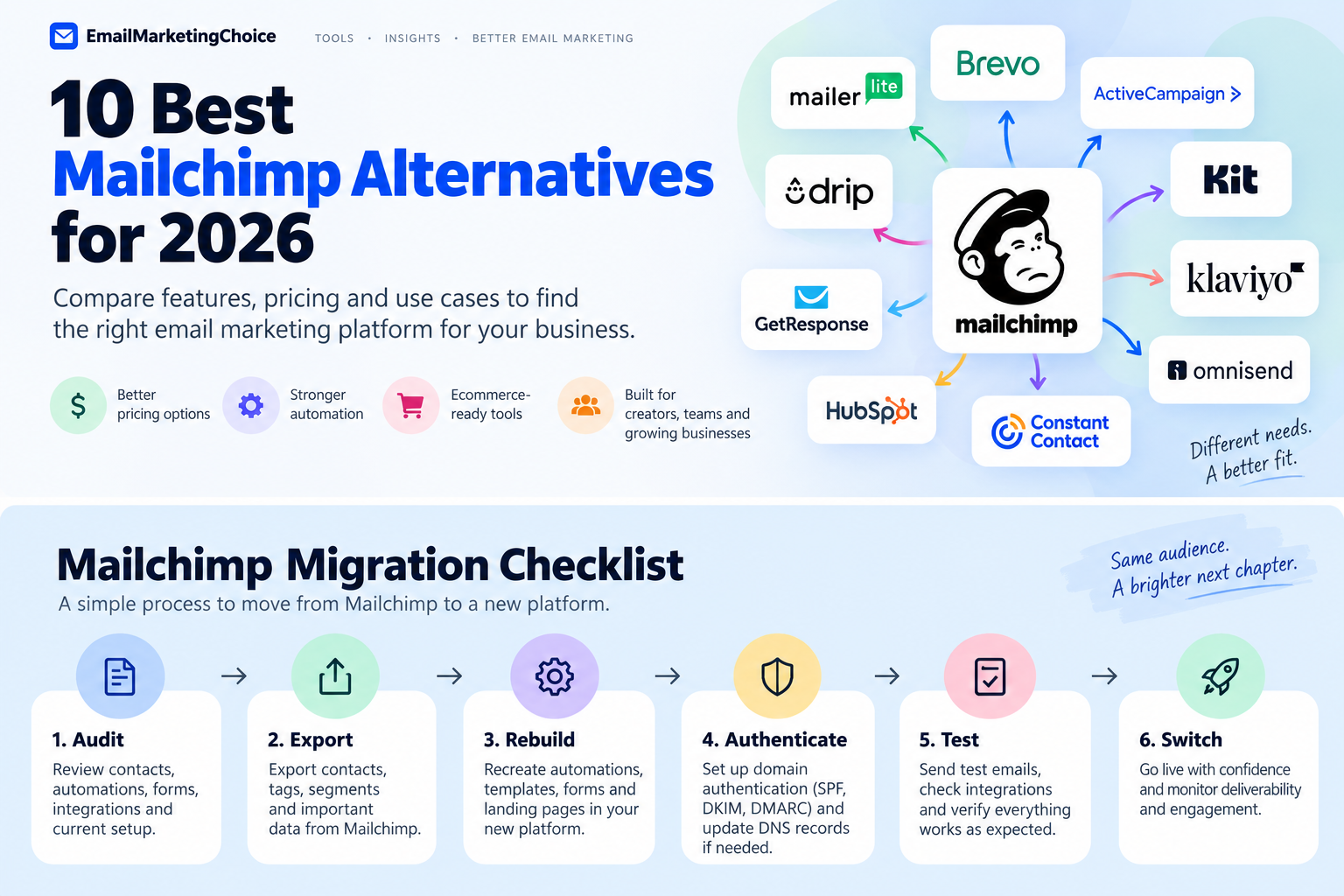
Mailchimp can still be a sensible email marketing platform, especially if your campaigns, forms, integrations, and automations are already working well.
But the reasons businesses start looking elsewhere usually become clearer as their audience grows. Pricing changes. Automation requirements become more complicated. Ecommerce teams need deeper customer data. Creators may want a platform built around newsletters rather than a broader small-business marketing suite.
There is no single best Mailchimp alternative.
A creator publishing a weekly newsletter has very different requirements from a Shopify store running abandoned-cart flows. A business that needs CRM and email in one system is solving a different problem again.
The better question is:
Why are you considering leaving Mailchimp, and which platform solves that specific problem without creating a bigger one?
This guide starts there.
Why People Look for Mailchimp Alternatives
Pricing becomes harder to judge as your audience grows
Email marketing pricing rarely stays as simple as the number on the pricing page.
Costs can depend on:
- subscribers or stored contacts
- monthly sending volume
- active profiles
- user seats
- automation features
- SMS usage
- additional marketing tools
That makes broad statements such as “Platform X is cheaper than Mailchimp” unreliable.
A tool may cost less at 1,000 subscribers and more at 20,000. Another platform may allow a large contact database but structure its pricing around email volume instead.
The useful comparison is your actual list size, sending frequency, required features, and expected growth.
Some businesses outgrow simple automation
A newsletter business may only need a welcome sequence, a lead magnet, and a few follow-up emails.
More mature marketing operations may want workflows based on:
- purchases
- browsing behavior
- engagement
- tags
- lead scores
- lifecycle stages
- sales activity
- customer inactivity
Platforms such as ActiveCampaign become more relevant when this type of automation is central to the business.
The trade-off is complexity. More automation capability does not automatically mean better marketing if your team does not need—or will not use—the additional control.
Ecommerce changes what matters
For an ecommerce store, email is closely connected to customer behavior.
That may include:
- abandoned carts
- browse abandonment
- product recommendations
- repeat purchases
- customer segments
- post-purchase campaigns
- win-back flows
- revenue attribution
That is why tools such as Klaviyo, Omnisend, and Drip should be evaluated differently from general-purpose newsletter platforms.
Creators often need a different workflow
Creators may care less about building a broad marketing stack and more about:
- publishing newsletters
- growing an audience
- landing pages
- automated sequences
- digital products
- subscriptions
- sponsorships
- recommendations and referrals
Kit is explicitly positioned around creator businesses. Its Free plan currently supports up to 10,000 subscribers, while its Creator plan adds unlimited visual automations and email sequences.
Sometimes email is not the real problem
Some businesses eventually discover that they do not actually need “better email software.”
They need email connected to CRM data, sales activity, SMS, WhatsApp, customer records, or a larger marketing operation.
Brevo and HubSpot address that problem in very different ways.
Pick an Alternative Based on Why You’re Leaving
If your biggest concern is simplicity and lower operating cost, start by comparing MailerLite and Brevo.
If automation depth is holding you back, ActiveCampaign deserves closer evaluation.
If you run an ecommerce store, compare Klaviyo, Omnisend, and Drip.
If you are building a creator or newsletter business, Kit is one of the clearest specialist options.
If you want CRM and email in the same ecosystem, look at HubSpot and Brevo.
If your needs are relatively simple and you mainly want straightforward campaigns, MailerLite and Constant Contact may make more sense than moving to a more complex automation platform.
Quick Comparison: Best Mailchimp Alternatives
| Tool | Best for | Main advantage over Mailchimp | Main trade-off |
|---|---|---|---|
| MailerLite | Small teams and straightforward email marketing | Simpler workflow and accessible entry pricing | Less suited to complex lifecycle marketing |
| Brevo | Large contact databases and multichannel messaging | Send-focused pricing and broader communication channels | Advanced requirements may expose limitations |
| ActiveCampaign | Advanced automation | Strong automation and segmentation focus | More complexity and learning |
| Kit | Creators and newsletters | Creator-focused publishing and monetization | Less suited to broad corporate marketing |
| Klaviyo | Data-driven ecommerce brands | Deep ecommerce data and segmentation | Cost can rise as active profiles grow |
| Omnisend | Ecommerce teams using email and SMS | Ecommerce automation with a simpler operational feel | Less depth than some advanced ecommerce stacks |
| Constant Contact | Small businesses prioritizing simplicity | Straightforward campaigns and support | Less automation depth |
| HubSpot | CRM + email marketing | Unified CRM, marketing, sales, and customer data | Major jump in cost |
| GetResponse | Funnels, webinars, and campaigns | Broader conversion toolkit around email | More platform than simple senders may need |
| Drip | B2C businesses selling online | Behavior-based lifecycle marketing | No permanent free plan |
Pricing changes frequently, so verify the current price for your own list size and sending pattern before choosing a platform.
The Best Mailchimp Alternatives for 2026
1. MailerLite — If You Want Simpler Email Marketing
MailerLite is one of the first platforms worth comparing if your main frustration with Mailchimp is complexity rather than a lack of features.
Its current Free plan supports up to 250 active subscribers and 2,500 emails per month. MailerLite reduced those limits in June 2026 while adding access to more features on the free tier. Its Comfort plan starts at $12 per month.
The appeal is relatively straightforward: campaigns, forms, landing pages, automations, and subscriber management without requiring a large marketing stack.
Public user feedback around MailerLite frequently emphasizes ease of use and a relatively approachable interface. At the same time, that simplicity has limits. Businesses needing sophisticated lifecycle automation, deep CRM workflows, or complex ecommerce segmentation may eventually outgrow it.
Consider MailerLite when: you mainly need newsletters, forms, landing pages, and straightforward automation.
Look elsewhere when: advanced automation or ecommerce data is the main reason you are leaving Mailchimp.
2. Brevo — If You Store More Contacts Than You Regularly Email
Brevo is particularly interesting for businesses with a relatively large contact database but more controlled sending volume.
Its Free plan currently includes up to 100,000 stored contacts and 300 email sends per day. Starter begins at $9 per month and Standard at $18 per month.
Brevo also extends beyond email into SMS, WhatsApp, chat, transactional messaging, and customer-management features.
That gives it a different role from a newsletter-first platform.
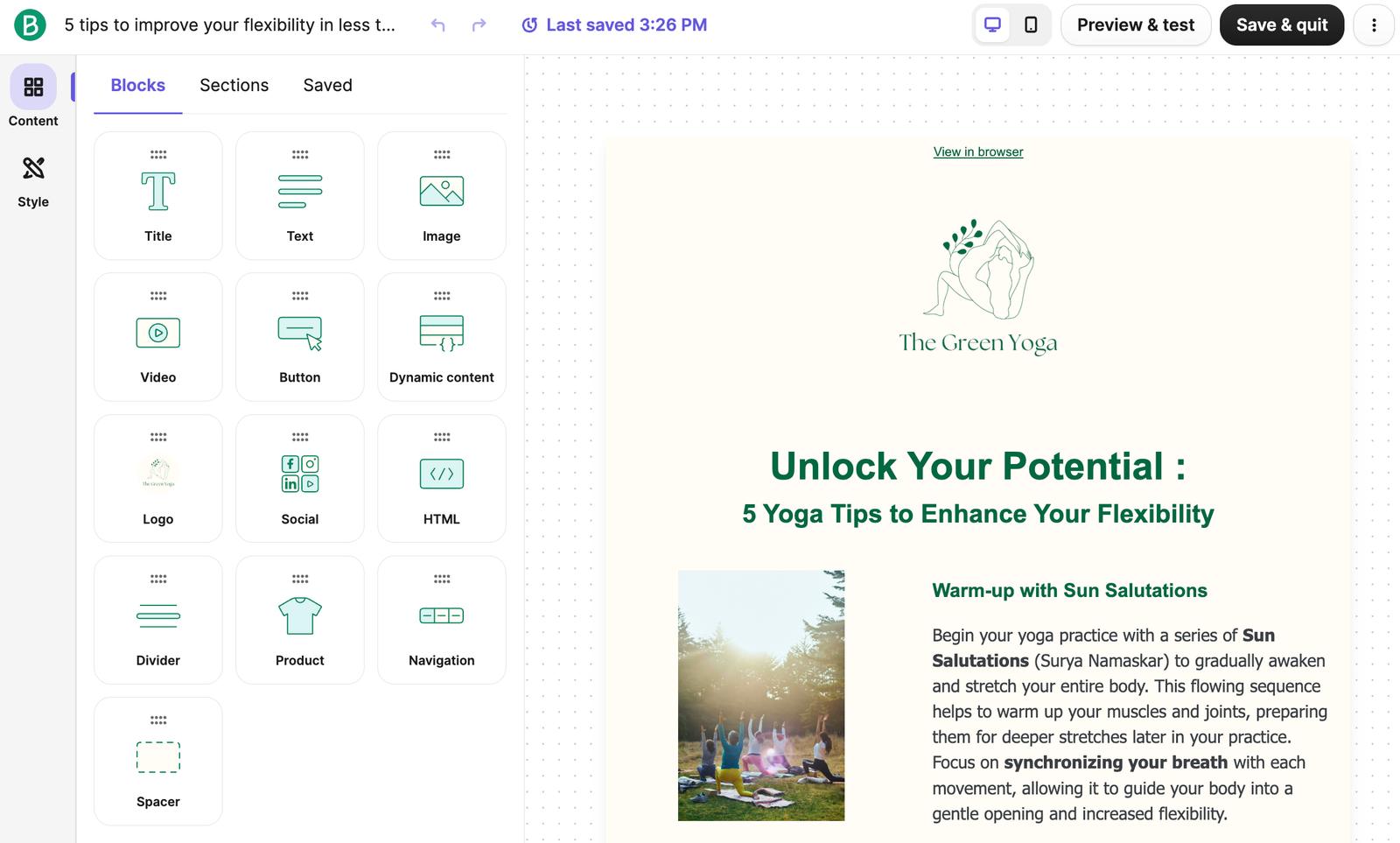
If you store many contacts but do not constantly email all of them, its pricing structure may be worth modeling against Mailchimp.
That does not mean Brevo will always be cheaper. Your actual cost still depends on send volume and the features you need.
Consider Brevo when: contact storage, multiple communication channels, and controlled sending volume matter.
Look elsewhere when: highly sophisticated lifecycle automation or deep ecommerce analytics are essential.
3. ActiveCampaign — If Automation Is the Reason You’re Switching
ActiveCampaign belongs on the shortlist when you are not looking for simpler email marketing—you are looking for more control.
Its strength is automation around:
- customer behavior
- segmentation
- tags
- lifecycle stages
- sales activity
- engagement
- purchases
That makes it more suitable for businesses where marketing automation is part of the operating system rather than an occasional add-on.
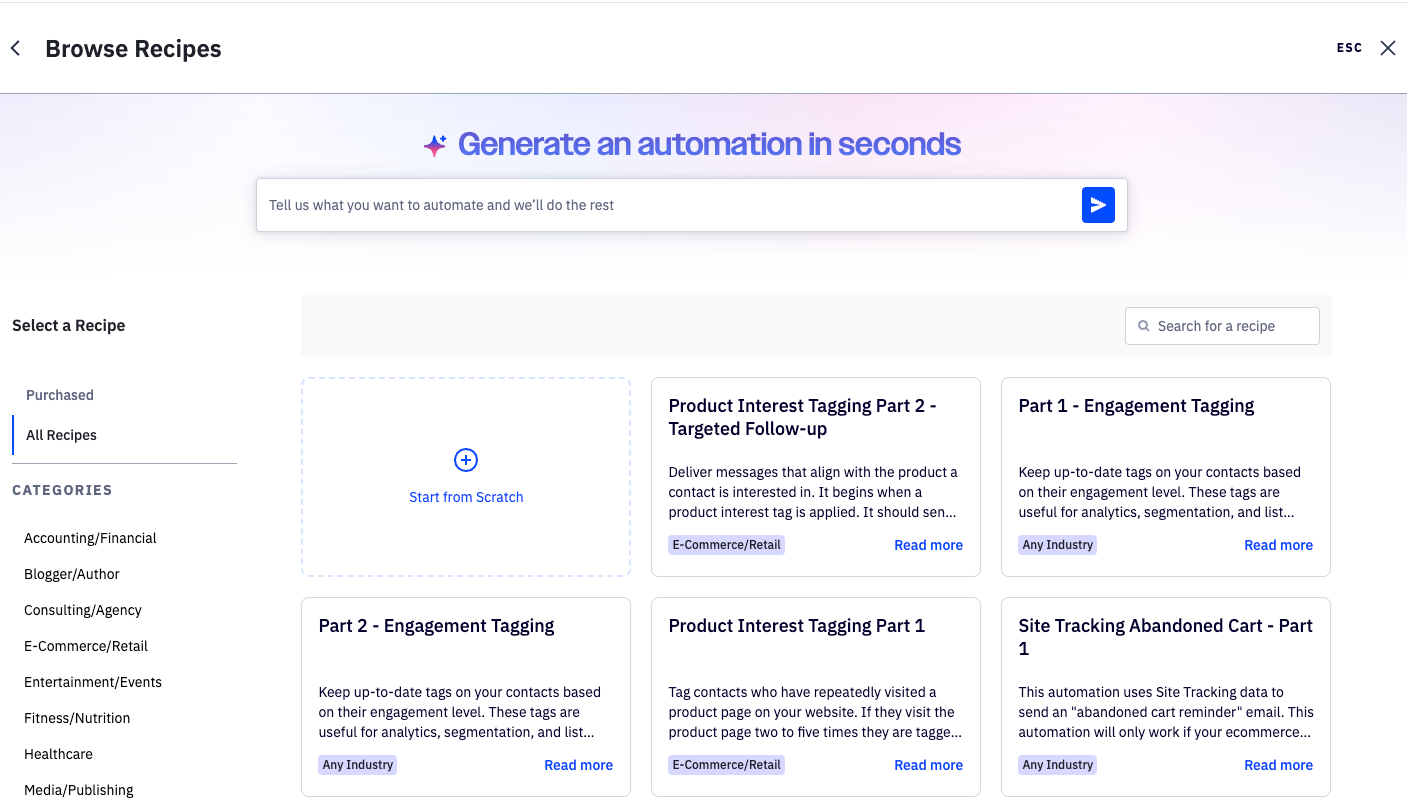
The downside is equally important.
ActiveCampaign can introduce more configuration, more decisions, and a steeper learning curve than platforms designed primarily around newsletters and basic sequences.
Its lower-priced plans also have automation limitations, so businesses should compare the capabilities of the specific tier they intend to buy rather than assuming every ActiveCampaign account includes the full automation feature set.
Consider ActiveCampaign when: automation and segmentation directly affect revenue or customer lifecycle management.
Skip the additional complexity when: your workflow mainly consists of newsletters and a few simple sequences.
4. Kit — If You’re Building a Creator Business
Kit approaches email from a creator-first perspective.
Its Free plan currently supports up to 10,000 subscribers and includes unlimited landing pages, forms, and email broadcasts. For 1,000 subscribers, the Creator plan is currently $33 per month when billed annually and adds unlimited visual automations and email sequences.
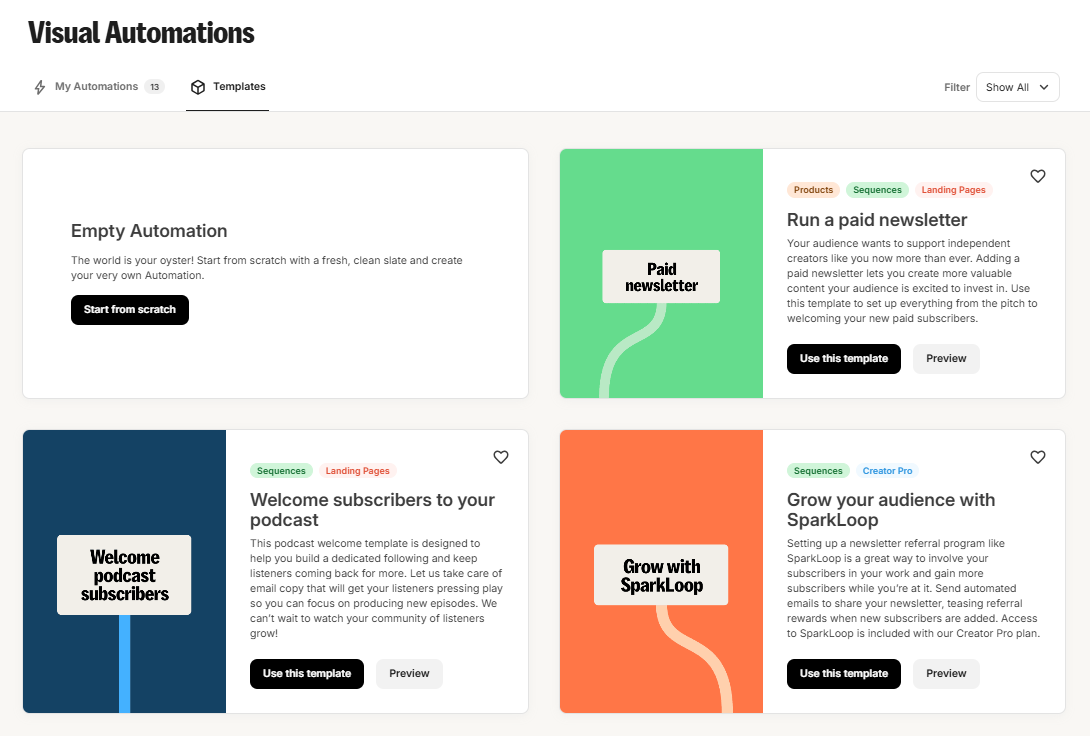
This positioning makes sense for:
- writers
- educators
- newsletter publishers
- creators
- coaches
- digital-product businesses
- audience-driven businesses
A creator may care more about growing and monetizing an audience than managing a broad corporate marketing stack.
Kit becomes less compelling when your requirements shift toward advanced CRM, sophisticated ecommerce analytics, or marketing operations spread across multiple departments.
Consider Kit when: the audience itself is central to your business model.
Look elsewhere when: email is only one part of a much broader CRM or ecommerce system.
5. Klaviyo — If Ecommerce Data Drives Your Marketing
Klaviyo becomes much more interesting when customer behavior and transaction data influence almost every marketing decision.
Its Free plan currently supports up to 250 active profiles and 500 email sends per month.
The real value is not simply sending ecommerce emails.
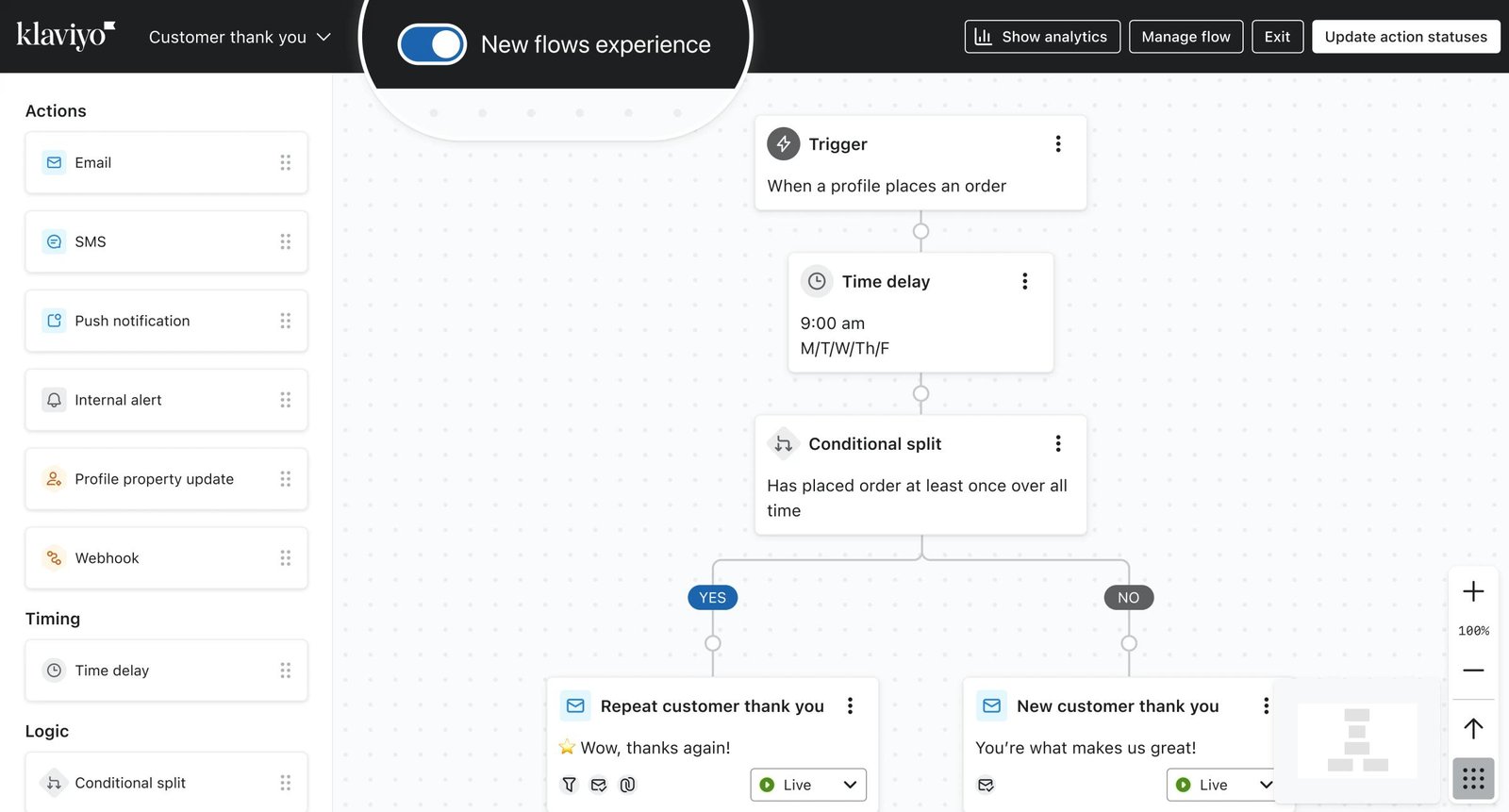
Klaviyo connects:
- customer profiles
- purchase history
- segmentation
- campaigns
- automated flows
- revenue attribution
- engagement data
That makes it possible to build marketing around what shoppers actually do.
The strongest reason to pay for that capability is also the key decision test:
Will your business actually use the data?
Pricing increases as the number of active profiles grows, so a simple newsletter sender may end up paying for complexity it does not need.
For an ecommerce company using detailed segmentation, customer lifecycle flows, and revenue reporting, the economics may look very different.
Consider Klaviyo when: ecommerce behavior and customer data are central to marketing decisions.
Think twice when: your main requirement is simply sending newsletters and basic automations.
6. Omnisend — If You Want Ecommerce Automation Without the Heaviest Stack
Omnisend overlaps with Klaviyo, but it often appeals to stores looking for a balance between ecommerce functionality and operational simplicity.
Its Free plan currently supports up to 250 contacts and 500 email sends per month. Standard starts at $16 per month, while Pro starts at $59 per month and includes unlimited email sending.
There is an important 2026 pricing detail: for customers subscribing on or after May 4, 2026, SMS is no longer available on Standard; newer customers need Pro for SMS access.
Omnisend is worth comparing with Klaviyo if your store needs:
- ecommerce automation
- segmentation
- product-based messaging
- push notifications
- SMS
- common store integrations
but does not require the deepest possible customization.
Consider Omnisend when: you want an ecommerce-first platform with a relatively approachable workflow.
Compare Klaviyo more closely when: advanced segmentation and customization justify the extra complexity.
7. Constant Contact — If Simplicity and Support Matter Most
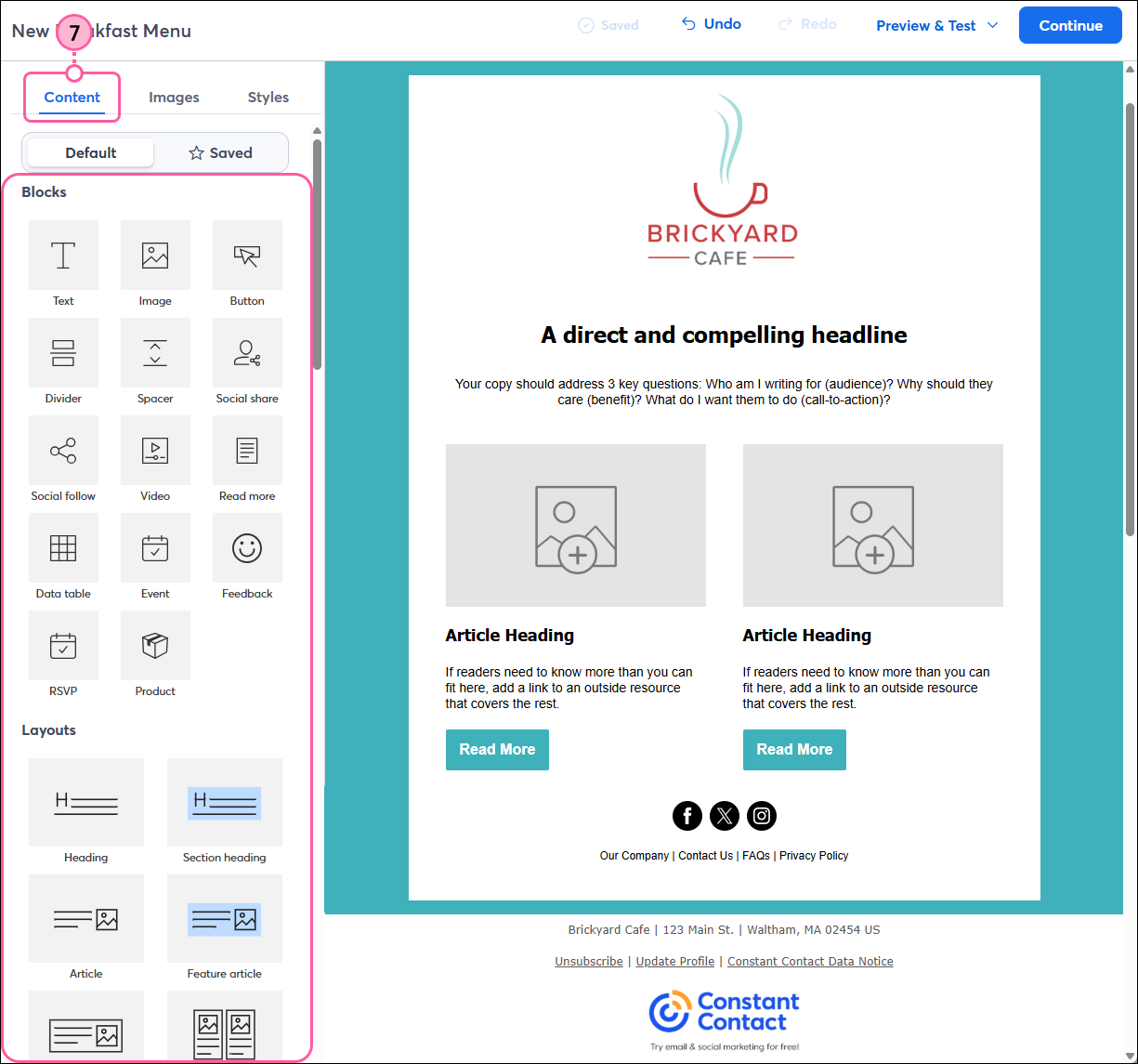
Constant Contact targets a more traditional small-business audience than many automation-heavy platforms.
Its current pricing starts at $12 per month for Lite, $35 for Standard, and $80 for Premium. Pricing scales with the size of the contact list.
The appeal is not that Constant Contact offers the deepest automation.
It is more relevant to small organizations that value:
- straightforward campaign creation
- templates
- integrations
- social tools
- live support
- relatively simple workflows
That can make it appropriate for local businesses, nonprofits, associations, and smaller teams.
If you are leaving Mailchimp specifically because you need more sophisticated lifecycle automation, Constant Contact is probably solving the wrong problem.
8. HubSpot — If Your Real Problem Is CRM, Not Email
HubSpot is fundamentally different from most tools in this comparison.
Email marketing is only one component of a larger ecosystem that includes CRM, marketing, sales, customer service, content, automation, and data.
That becomes useful when an email campaign needs to react to what is happening elsewhere in the customer lifecycle.
The trade-off is cost.
Marketing Hub Professional currently starts at $800 per month with annual commitment or $890 per month on monthly billing, and Professional requires a one-time $3,000 onboarding fee.
That means HubSpot should not be treated as a “cheaper Mailchimp alternative.”
It belongs here because some businesses eventually discover that their real requirement is a connected CRM and marketing system.
Consider HubSpot when: sales, CRM, service, and marketing data need to work together.
Do not move to HubSpot simply to send better newsletters.
9. GetResponse — If Email Is Part of a Bigger Conversion Funnel
GetResponse makes more sense when email is one component of a broader campaign.
Its Starter plan currently begins at $19 per month and includes unlimited monthly email sends, landing pages, signup forms, and one automation workflow.
Marketer starts at $59 per month and adds unlimited automation workflows, advanced segmentation, and ecommerce capabilities.
GetResponse is especially relevant for businesses using:
- funnels
- webinars
- lead-generation pages
- automation
- ecommerce
- courses
- broader campaign workflows
The obvious question is whether you actually need those tools.
A business sending newsletters and a few automated sequences may find a more focused platform easier to operate.
10. Drip — If You Run a B2C Business Selling Online
Drip is narrower than many platforms in this guide.
Its main use case is behavior-driven marketing for B2C businesses selling products, memberships, courses, or other offers online.
Typical workflows include:
- abandoned cart
- welcome flows
- browse abandonment
- post-purchase campaigns
- win-back sequences
- purchase-based segmentation
That specialization can be an advantage when ecommerce behavior drives the marketing strategy.
It makes much less sense for a B2B business, a local organization, or a team primarily looking for CRM.
Drip currently starts at $39 per month for up to 2,500 people and offers a trial rather than a permanent free plan.
What Real Users Consistently Reveal About Switching
Public user discussions are useful because they highlight a pattern that pricing pages cannot.
People rarely switch email platforms because one product is universally “better.”
They switch because a specific mismatch becomes difficult to ignore.
Some users are trying to reduce cost.
Others want simpler software.
Some want deeper automation and willingly accept more complexity.
Ecommerce teams often care far more about customer behavior and revenue data than newsletter-oriented users.
Creators may choose an entirely different product because their workflow revolves around publishing and audience monetization.
This is why user feedback should be treated as context—not as proof that one platform is objectively superior.
A complaint from one Reddit thread is an experience. Repeated feedback across independent users can reveal a pattern. Neither should replace your own evaluation of the workflow that matters to your business.
When You Should Not Leave Mailchimp
Searching for Mailchimp alternatives does not necessarily mean you should migrate.
Staying may make more sense if:
- your campaigns already perform well
- your team knows the platform
- your automations have been tested
- your forms and integrations are connected
- your current pricing remains acceptable
- you mainly send straightforward campaigns
- another platform does not solve a specific problem
Switching email platforms creates operational work.
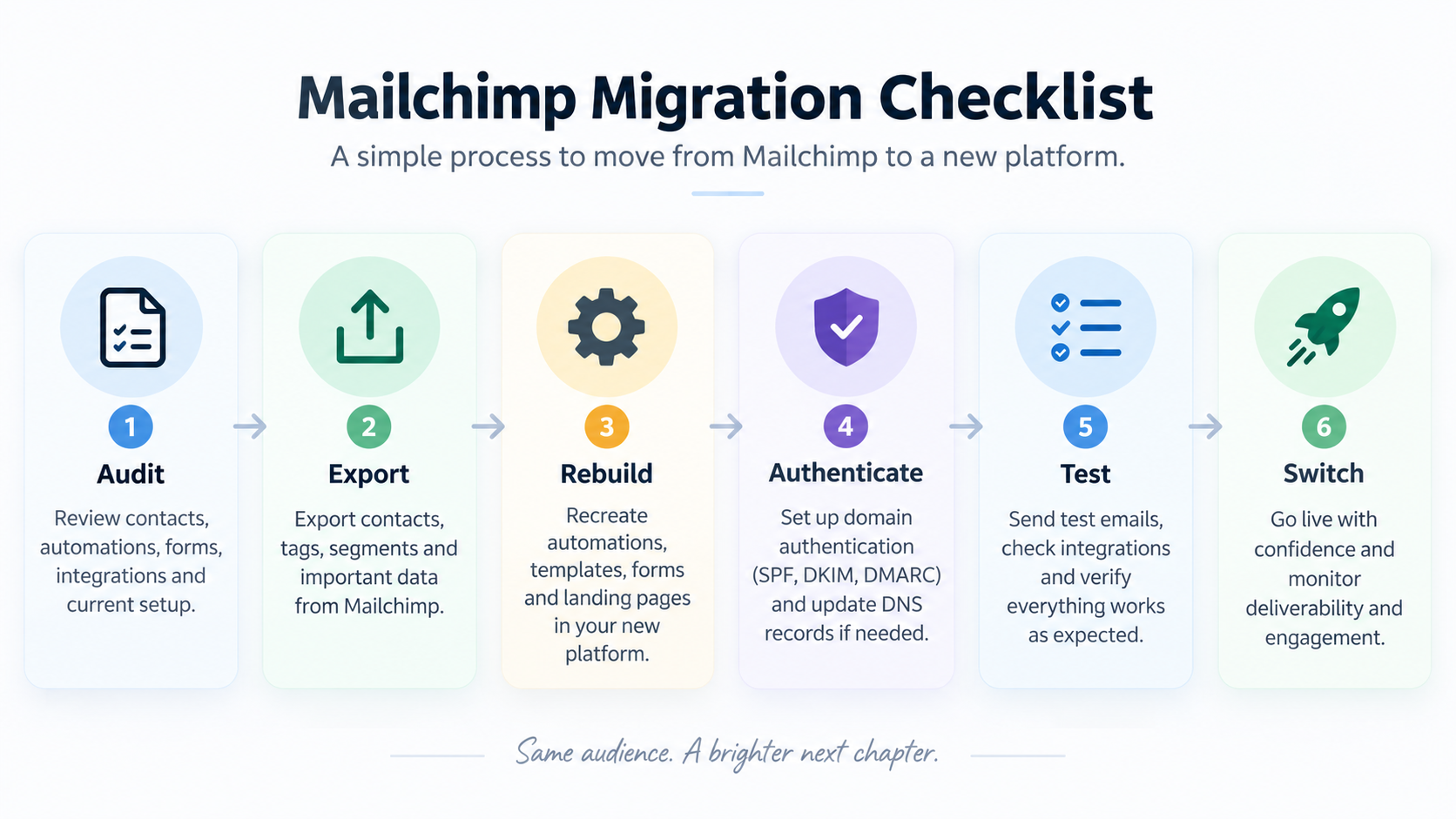
You may need to rebuild:
- automations
- forms
- templates
- integrations
- segments
- reports
- domain authentication
- preference centers
A different interface is not enough reason to create that disruption.
The strongest reason to switch is a clear mismatch between what your business now needs and what your current Mailchimp setup provides.
What to Check Before Migrating From Mailchimp
Contacts, tags, and segments
Check how the replacement platform handles:
- subscriber status
- tags
- groups
- custom fields
- segments
Different email platforms use different data models. Importing contacts does not automatically recreate the logic behind your existing Mailchimp audience.
Automations
Document every active automation before migrating.
Record:
- triggers
- delays
- conditions
- branches
- emails
- tags
- goals
Do not assume another provider can automatically import the underlying workflow.
Templates, forms, and landing pages
Existing email templates, popups, embedded forms, landing pages, and preference centers may need to be rebuilt.
Unsubscribes and suppression data
Do not accidentally re-add people who previously unsubscribed or should remain suppressed.
Preserving consent and suppression information should be part of the migration plan.
Integrations
Audit everything connected to Mailchimp, including:
- ecommerce stores
- CRM systems
- analytics tools
- Zapier workflows
- forms
- payment platforms
- internal systems
Domain authentication
Moving providers may require changes to DNS records and sender authentication.
Prepare those changes before sending a major campaign from the new platform.
Historical reporting
If previous campaign data matters to your business, determine what can be exported and what will remain accessible after the migration.
Deliverability
Changing platforms does not automatically fix deliverability problems.
Sender reputation, list quality, authentication, engagement, sending behavior, and content still matter regardless of the software provider.
Also distinguish between marketing email and transactional email requirements. A platform that works well for newsletters may not be the best infrastructure for receipts, password resets, order confirmations, or other transactional messages.
How We Selected These Mailchimp Alternatives
This guide considers:
- current vendor documentation
- pricing structures
- subscriber and contact limits
- sending limits
- automation capabilities
- ecommerce functionality
- CRM and multichannel features
- creator workflows
- migration considerations
- intended customer type
- recurring themes in publicly available user feedback
We do not assign artificial scores or claim hands-on testing that has not taken place.
Official documentation is used for facts such as pricing and plan limits. Public discussions and review-platform feedback are used to understand recurring user experiences and potential trade-offs.
Product packaging changes frequently, so pricing and critical features should always be confirmed on the vendor’s current website before purchasing or migrating.
Mailchimp Alternatives FAQ
Is there a free alternative to Mailchimp?
Yes.
MailerLite, Brevo, Kit, Klaviyo, Omnisend, and HubSpot currently offer free options, but the limits and intended users differ substantially.
For example, MailerLite currently allows up to 250 subscribers and 2,500 monthly emails on Free, while Kit supports up to 10,000 subscribers on its creator-oriented Free plan.
Should I choose Klaviyo or Omnisend for ecommerce?
Both are ecommerce-focused, but the decision often comes down to how much segmentation, customization, and operational complexity your store needs.
Klaviyo is particularly strong when sophisticated customer data and segmentation are central to the marketing strategy.
Omnisend can be attractive to stores that want ecommerce automation and multichannel features in a relatively approachable system.
Is ActiveCampaign better than Mailchimp?
It depends on what you are trying to improve.
ActiveCampaign is more relevant when advanced automation and segmentation are the priority.
If your campaigns are straightforward and Mailchimp already works well, switching to a more complex system may add work without solving a meaningful problem.
What should I check before switching email platforms?
At minimum, audit:
- contacts
- unsubscribes
- tags
- segments
- automations
- templates
- forms
- integrations
- domain authentication
- ecommerce data
- reporting history
Know what must be recreated before cancelling the existing platform.
Choosing Your Shortlist
Do not start with ten free trials.
Start with the problem.
If simplicity is the priority, compare MailerLite and Constant Contact.
If automation is central, investigate ActiveCampaign.
If you are building a creator business, look closely at Kit.
If ecommerce behavior drives your marketing, compare Klaviyo, Omnisend, and Drip.
If CRM is the real requirement, evaluate HubSpot or Brevo.
Then shortlist two or three platforms and test them using a real workflow from your business.
If Mailchimp is already working well and none of the alternatives solves a specific problem, staying where you are may be the better decision.