Author: EmailMarketingChoice

  • Best Email Marketing Software for Ecommerce in 2026: Which Platform Fits Your Store?

    Best Email Marketing Software for Ecommerce in 2026: Which Platform Fits Your Store?

    There isn't one best email marketing platform for ecommerce. The right choice depends on the store you run: the ecommerce platform underneath it, the size of the team, how complicated the automation has become, how fast the list and send volume will grow, and how much rebuilding you're willing to take on if you move.

    A Shopify store with one marketer and three core flows has a different problem from a DTC brand with a dedicated lifecycle team. Both differ again from a WooCommerce store that first needs its order and cart data to reach the email platform cleanly. A single ranked list of six tools would flatten those differences, so this guide asks a different question about Klaviyo, Omnisend, ActiveCampaign, Mailchimp, Drip and Brevo. When does each one become the better fit, and when does it stop being one?

    Nine variables tend to change the answer:

    • Ecommerce platform (Shopify, WooCommerce or another)
    • Store size and contact growth
    • Team size, and who will actually build and maintain the flows
    • Whether your automation complexity comes from customer behavior or from workflow architecture
    • Segmentation requirements
    • Email only, or email plus SMS
    • Sending frequency
    • Budget structure
    • Migration cost, if you already use another platform

    Pricing and plan details change often, so treat the cost discussion below as a framework for checking live numbers rather than a price list.


    Quick Decision Map
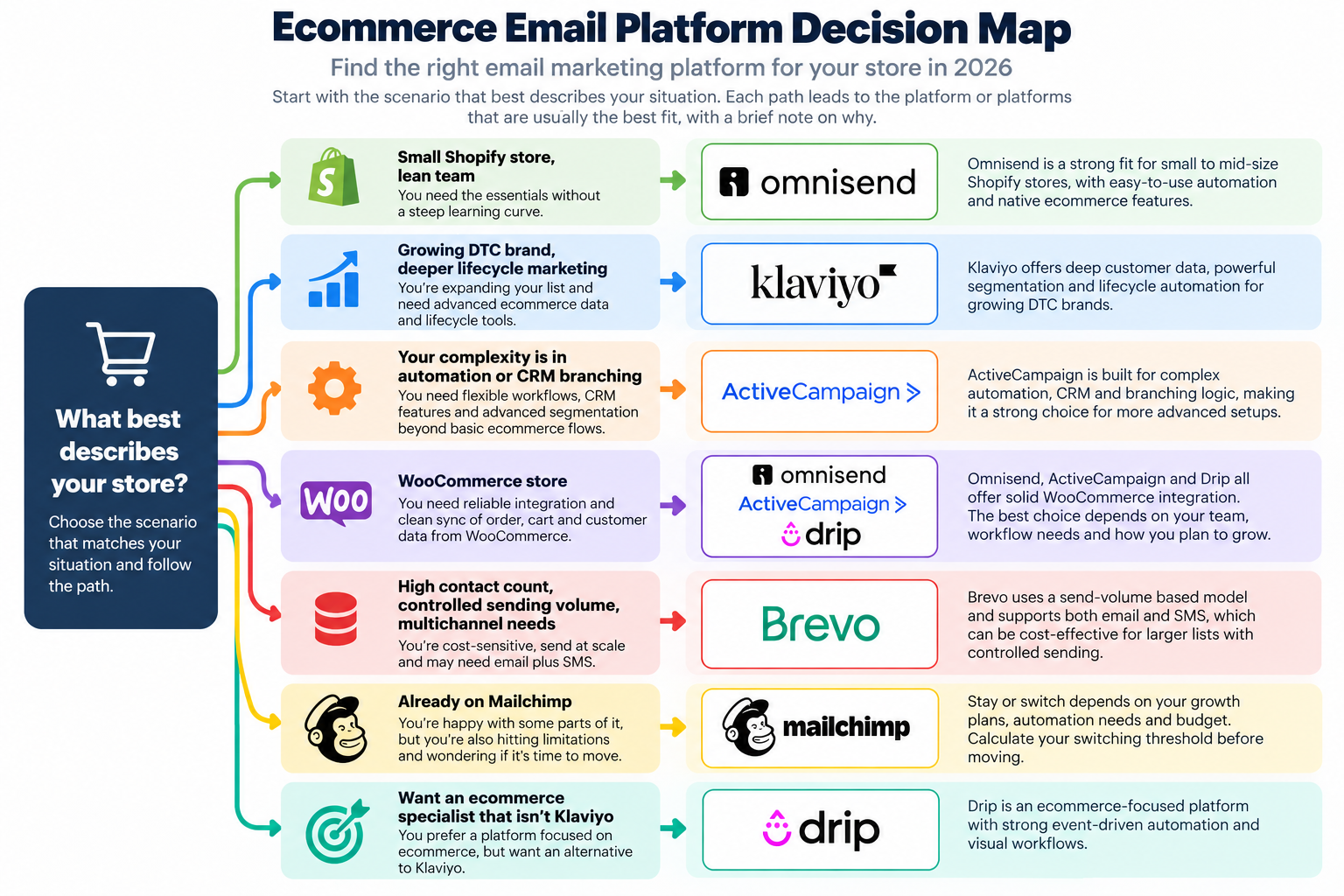
    Ecommerce email platform decision map for different store scenarios
    If this describes youStart by looking at
    Small Shopify store, lean teamOmnisend
    Growing DTC brand, deeper lifecycle marketingKlaviyo
    Your complexity is in automation or CRM branchingActiveCampaign
    WooCommerce storeCompare Omnisend, ActiveCampaign and Drip
    High contact count, controlled sending volume, multichannel needsInvestigate Brevo
    Already on MailchimpCalculate your switching threshold before moving
    Want an ecommerce specialist that isn't KlaviyoConsider Drip

    Treat the map as a starting point rather than a verdict. The rest of the guide explains why each route exists and where it breaks down.


    How the Six Platforms Compare

    The table compares the variables that actually change a recommendation, not feature counts. Read the last two columns first: what drives the bill, and where each platform tends to run out of road.

    PlatformStrongest fitEcommerce data depthAutomation orientationTeam complexityPricing driverPrimary limitation
    KlaviyoGrowing DTC and lifecycle-led teamsDeep behavioral and profile layer; billing and segmentation are profile-centricCustomer-behavior and lifecycle flowsHigher; value depends on whether the team uses the extra depthActive profiles and email send allowance; advanced analytics can be an add-onGreater depth can bring greater cost and operating complexity
    OmnisendSmall to mid-size store-centric teams, especially ShopifyNative store data with order, product and customer sync; behavior and segment conditionsStore-centric ecommerce workflows with conditional and A/B splitsLower operating complexityBillable contacts and plan tier, with send allowances and SMS rules varying by planCeiling sits in data-model and segment timing and in highly individualized lifecycle logic, not in basic branching
    ActiveCampaignTeams with complex workflow or CRM logicDeep Data integrations for Shopify, WooCommerce, BigCommerce, Square and MagentoWorkflow, branching and CRM architectureHigher setup and maintenance burdenDynamic contact-based pricing and plan tier; advanced automation may require higher tiersConfigurability adds setup and maintenance work
    MailchimpExisting users with moderate needsConnected-store purchase and behavior data; site tracking can capture product views, add-to-cart and purchasesCustomer journeys plus behavior- and segment-driven automationFamiliar to many teams; advanced segmentation requires the Standard plan or higherContact tier, plan tier, and send allowance or SMS add-onsConvenience versus growing automation, pricing and lifecycle needs
    DripTeams wanting deeper ecommerce automation under a different operating model from KlaviyoNative Shopify, WooCommerce and BigCommerce data; order, cart and product events; segmentationBehavior-based ecommerce workflowsModerate; setup is still required, but the workflow model is ecommerce-orientedActive people and email volume; SMS billed separately where availablePricing, integration breadth and SMS availability and feature limits
    BrevoCost-structure and multichannel-led teamsEcommerce events via plugin or API, plus website tracking for product and cart behaviorCRM, transactional, and event-driven automation across email, SMS, push and WhatsAppEcommerce behavior may need more tracking and integration workPrimarily send volume and plan tier rather than a simple contact-only modelBehavioral automation can require more integration architecture

    Scenario Analysis: Where Each Platform Fits

    Scenario A: A small Shopify store with a lean team

    If your store needs a welcome flow, cart recovery and a handful of post-purchase emails, you probably don't need the deepest lifecycle platform yet. The more useful question is whether you will really use advanced lifecycle features, or whether you mainly need the core ecommerce workflows running reliably with minimal overhead.

    For that second profile, Omnisend is the natural starting point. It is built around store-centric ecommerce automation with comparatively low operating complexity, which suits a team that wants meaningful automation without assembling a full lifecycle stack on day one.

    The alternatives depend on circumstances:

    • Mailchimp makes sense if the store already runs there and the existing workflows are sufficient (see Scenario F).
    • Brevo enters the picture if cost structure or multichannel needs are driving the decision (see Scenario E).
    • Klaviyo fits a small store only where advanced needs already exist. Where they don't, public user feedback points to the risk of a small team ending up with more platform than it uses.

    Scenario B: A growing DTC brand

    Once segmentation, customer behavior analysis and lifecycle flows start to carry real revenue weight, deeper ecommerce data begins to pay for itself. Klaviyo is the primary candidate here, with Omnisend and Drip as secondary options.

    The catch is in the word "pay." The extra depth produces value only when the team builds on it. If your flows are still mostly welcome, cart and post-purchase, a more modest platform may keep working longer than you'd expect. If your team is regularly working around data or segmentation limits, that is the signal that a deeper platform deserves a serious look.

    Omnisend stays in the conversation for teams that want to hold operational complexity down as they grow. Drip is worth a look if you want deeper ecommerce automation under a different operating model, provided its pricing, integration and SMS constraints work for you.

    Scenario C: An advanced lifecycle or automation team

    At this level the decision usually comes down to Klaviyo versus ActiveCampaign, with Drip as a supporting alternative. Neither is simply the one with "better automation." They handle different kinds of complexity.

    Klaviyo's complexity comes from ecommerce customer behavior: what customers buy, browse and do, and how you segment and message on that basis. ActiveCampaign's complexity comes from workflow, automation and CRM architecture: branching logic, multi-stage processes, and customer journeys that extend beyond the order.

    A DTC brand whose hard problem is "which customers should get which message, based on what they've done" is facing the first kind. A business whose hard problem is "how do we coordinate a multi-stage process across sales, service and marketing" is facing the second. Many stores sit clearly in one camp. If yours straddles both, test the specific workflows that matter most before committing.

    Scenario D: A WooCommerce store

    Shopify recommendations don't transfer directly to WooCommerce. The platform underneath changes how order data, product data and cart events reach the email tool, and that determines what the tool can do for you.

    Omnisend, ActiveCampaign and Drip are the core candidates, with Brevo and Klaviyo as conditional options. Official documentation shows meaningfully different WooCommerce implementations:

    • Omnisend uses a dedicated WooCommerce plugin. It syncs historical contacts, products and orders, then keeps core store data current through the WooCommerce REST API and webhooks. The same plugin powers on-site tracking and abandoned-cart events, which makes this a fairly direct, store-centric setup.
    • ActiveCampaign uses a one-way WooCommerce Deep Data sync. It can import historical orders, abandoned carts, customers and products and use them in automations, segments and goals. The sync direction and the automation architecture lean toward CRM and workflow logic.
    • Drip syncs customer lists, historical orders and products, shows order and browsing activity on customer profiles, and includes WooCommerce-specific cart abandonment, abandoned-browse, post-purchase and welcome workflows.
    • Klaviyo offers a WooCommerce extension with real-time data sync and website activity tracking, including started-checkout and viewed-product behavior for abandonment and lifecycle flows.
    • Brevo can ingest standard ecommerce events, such as cart updates and completed orders, through compatible plugins and use them in segmentation and automations. More specialized custom behavior may need tracker or API work.
    • Mailchimp has a WooCommerce plugin that syncs customer and order data and supports ecommerce automations, product recommendations, purchase-based segmentation and abandoned-cart messaging.

    None of these is universally best. If you want the most store-native path, compare how much setup each plugin needs and what data arrives automatically. If you need complex cross-functional workflow logic, ActiveCampaign becomes more relevant. If behavior-led ecommerce automation is the priority, Drip, Omnisend and Klaviyo all deserve workflow-by-workflow testing against your own store.

    Scenario E: A cost-sensitive growing store

    Starting prices mislead most when budget is the constraint. Brevo and Omnisend are the core candidates here, with Drip as a secondary option where its ecommerce automation depth justifies the price.

    Which one is cheapest depends on how you send:

    • A contact-heavy, lower-frequency sender has a large list but sends relatively rarely. Pricing tied mainly to send volume tends to look more favorable than pricing tied to contact or profile counts, though this needs checking platform by platform.
    • A frequent ecommerce sender runs many campaigns and active flows, often with automation features that sit on higher plan tiers. For this profile, plan tier and add-ons can matter more than the base price.

    Brevo is interesting here for reasons beyond a low headline price: a pricing structure built primarily around send volume and plan tier, and a multichannel, CRM-oriented scope. Whether it actually saves money depends on whether that model matches how you send. The pricing section below shows how to check.

    Scenario F: An existing Mailchimp user

    If you're already using Mailchimp, the first question isn't whether another platform has more features. It's whether the differences are large enough to justify rebuilding your workflows. The stay-versus-switch section later in this guide works through that threshold.


    Platform Deep Dives

    The scenarios show where each platform enters the decision. These sections look at what each one asks of you in return.

    Klaviyo
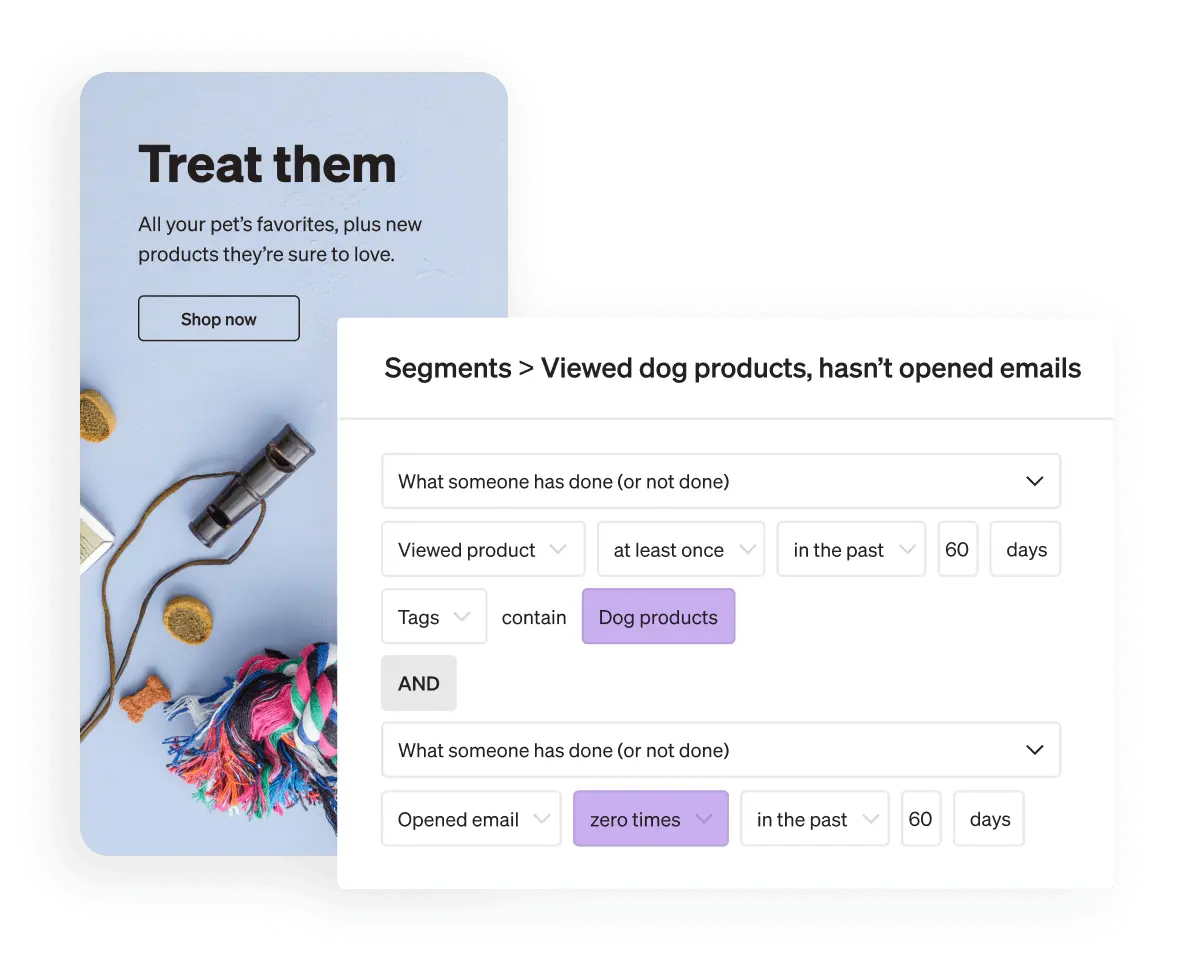
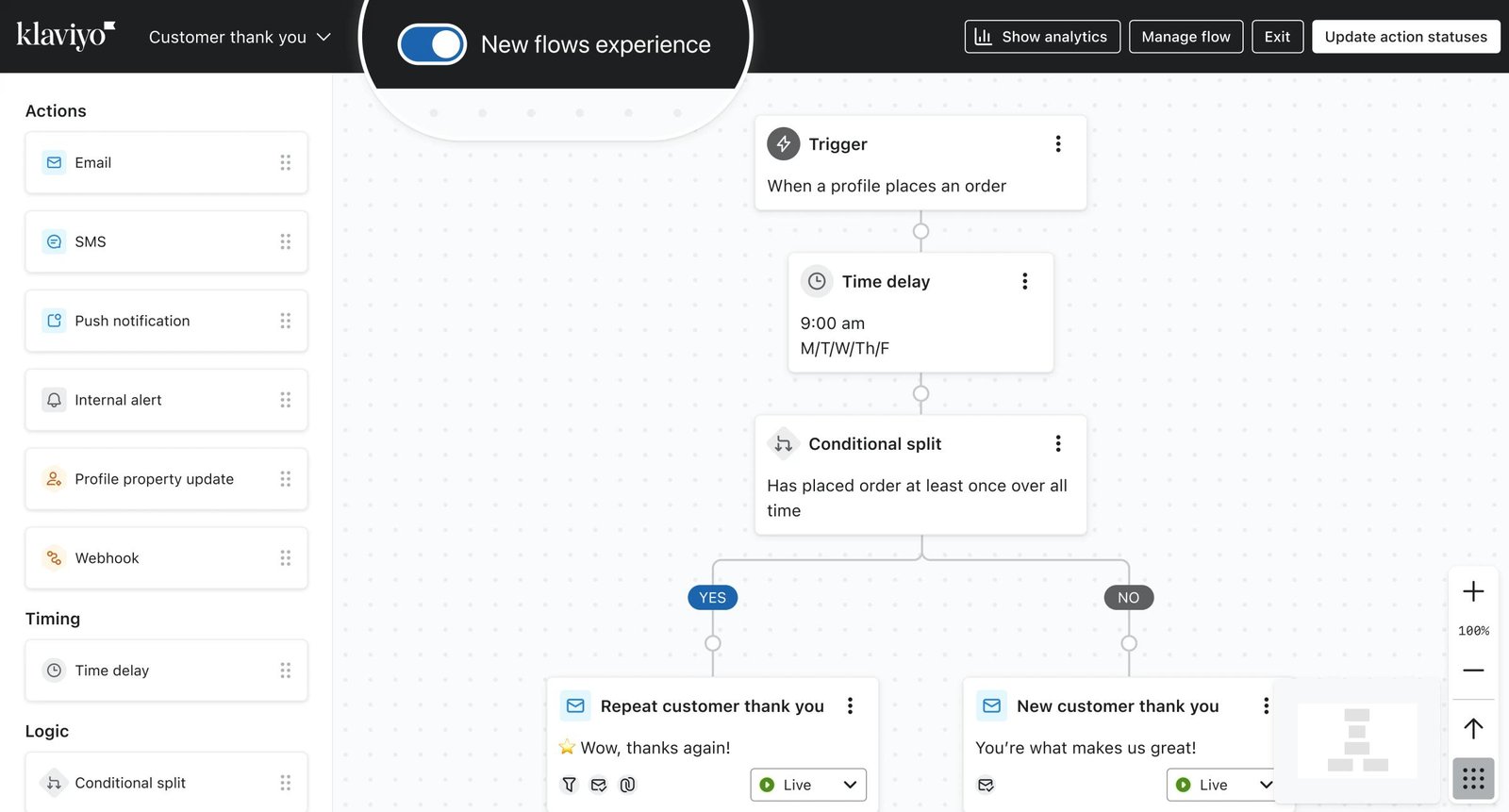
    Klaviyo segmentation interface using ecommerce behavior and customer conditions

    Klaviyo gives you more room to build around customer behavior, but that room only matters if your team is going to use it. That is the central trade-off. For a growing DTC brand or a mature lifecycle team, deeper ecommerce data and strong segmentation are the capabilities that change outcomes. Recent G2 reviews repeatedly praise its segmentation and flow builder, especially from stores that are actually running behavior-based lifecycle programs.

    The cost side deserves equal attention. A recurring theme in public user feedback is concern about price growth as lists expand, and Klaviyo's own billing documentation helps explain why. The base email plan must cover your active profiles, send allowance is tied to the profile tier, and Marketing Analytics is a separate paid product. The result is that list growth raises your cost even when your team's automation sophistication hasn't changed. For a small team running a few standard flows, the question isn't whether Klaviyo is capable. It's whether the extra depth is used often enough to justify that cost structure.

    That is also where it stops fitting: a store with a handful of standard flows, or a team without the time to work with behavioral segmentation, is paying for depth it can't yet turn into results. Small teams focused on core welcome, cart and post-purchase flows, and stores where cost growth is the main constraint, should be cautious. If advanced needs emerge later, Klaviyo remains the platform to evaluate.

    Omnisend
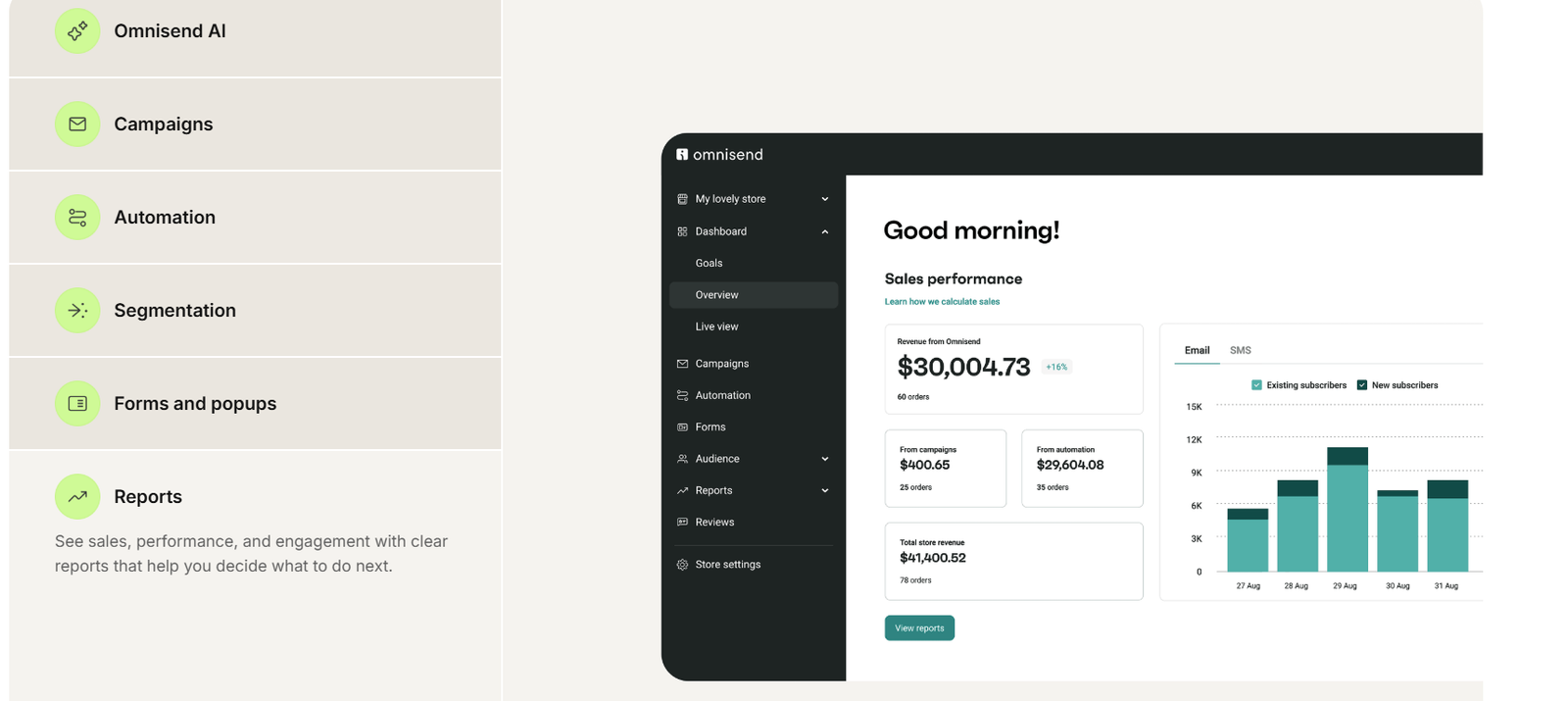
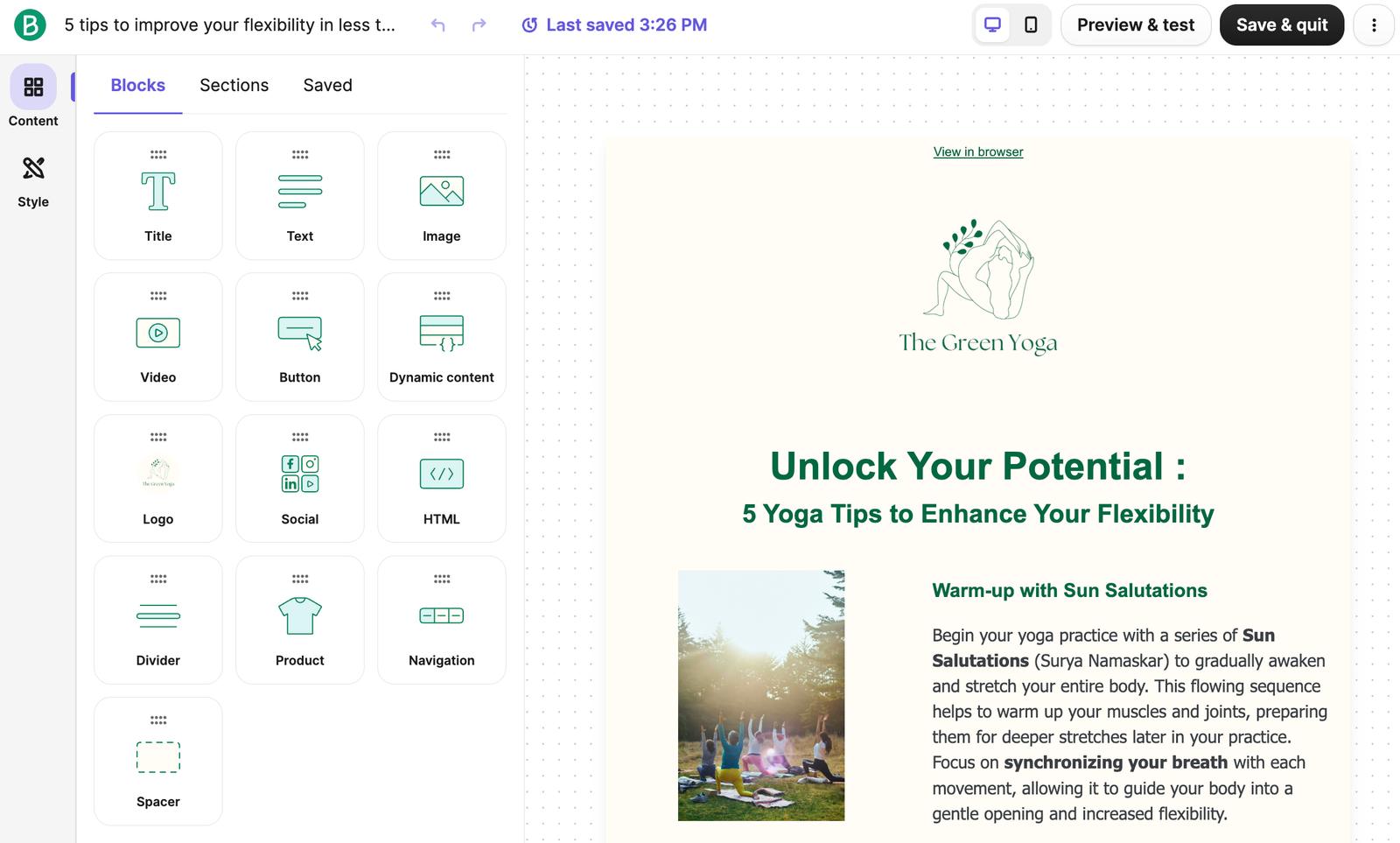
    Omnisend ecommerce marketing dashboard with automation segmentation and reporting features

    Omnisend suits a store that wants real ecommerce automation without the operating load of a highly complex lifecycle setup. Recent G2 feedback repeatedly describes it as straightforward to set up and intuitive for campaign and automation work, which supports its role for lean ecommerce teams.

    It would be inaccurate to describe its limit as "basic automation." Omnisend supports conditional splits, nested paths, A/B-test splits, exit conditions and a wide library of ecommerce workflows. The more defensible boundary is about data and segmentation. Complex segment membership can introduce refresh-timing considerations, and the filters you can use still depend on the data your ecommerce platform sends into Omnisend. Some G2 reviewers also note missing or limited advanced features or integrations, so confirm that anything you rely on is covered.

    You'll feel that ceiling if your lifecycle strategy depends on highly individualized logic, or if your team keeps bumping into segmentation limits. At that point Klaviyo (behavioral depth) or ActiveCampaign (workflow architecture) becomes worth comparing. Teams already hitting those ceilings, or needing CRM-style workflow architecture, shouldn't start here.

    ActiveCampaign
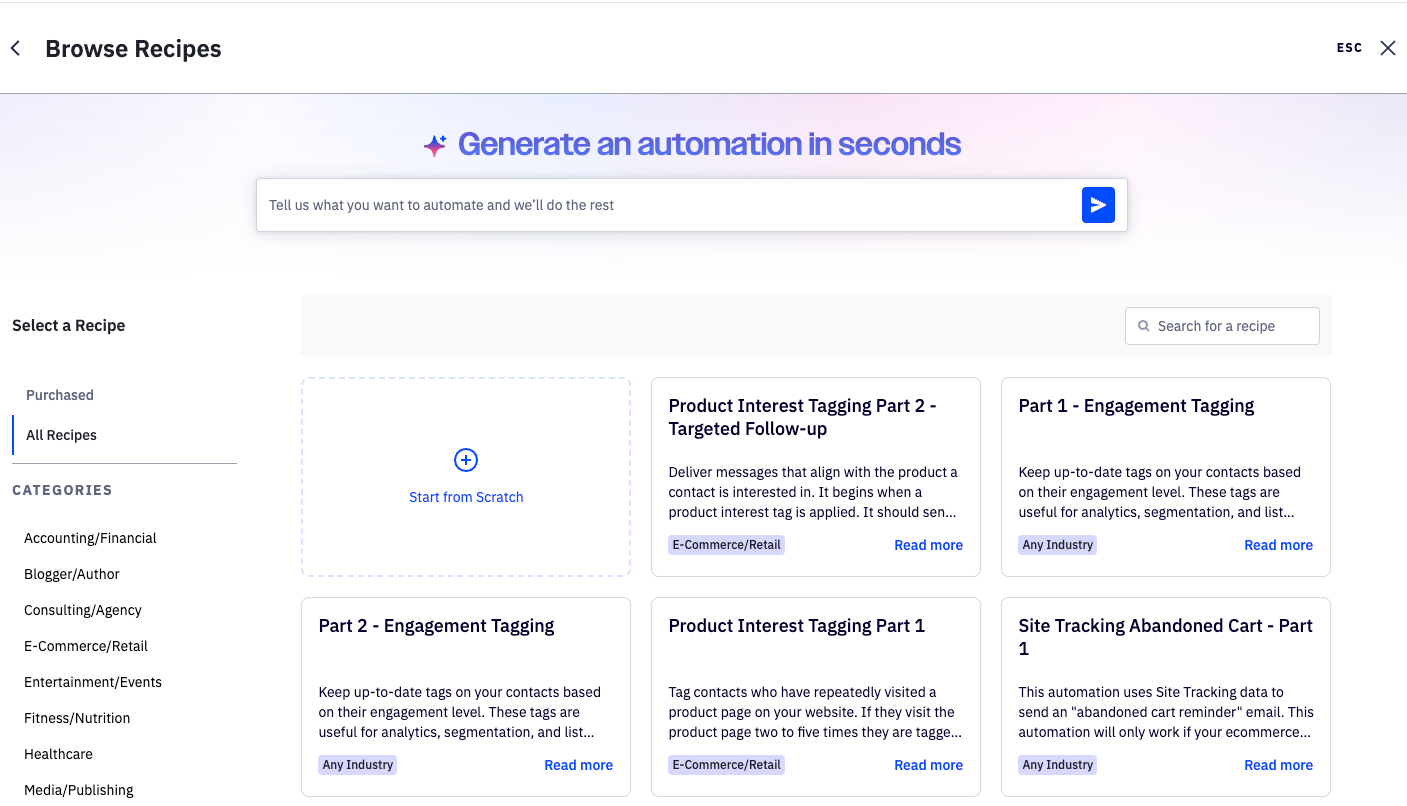
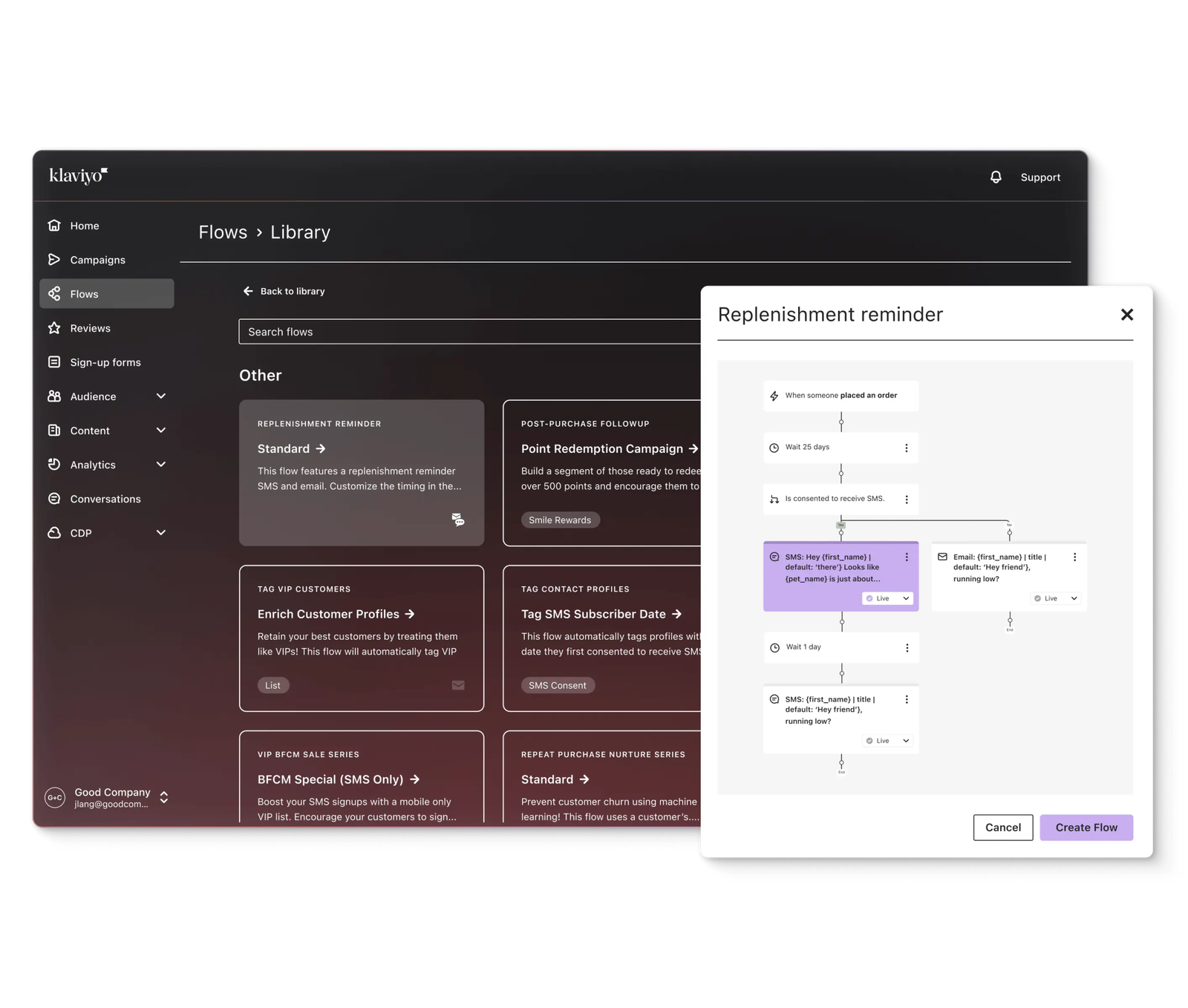
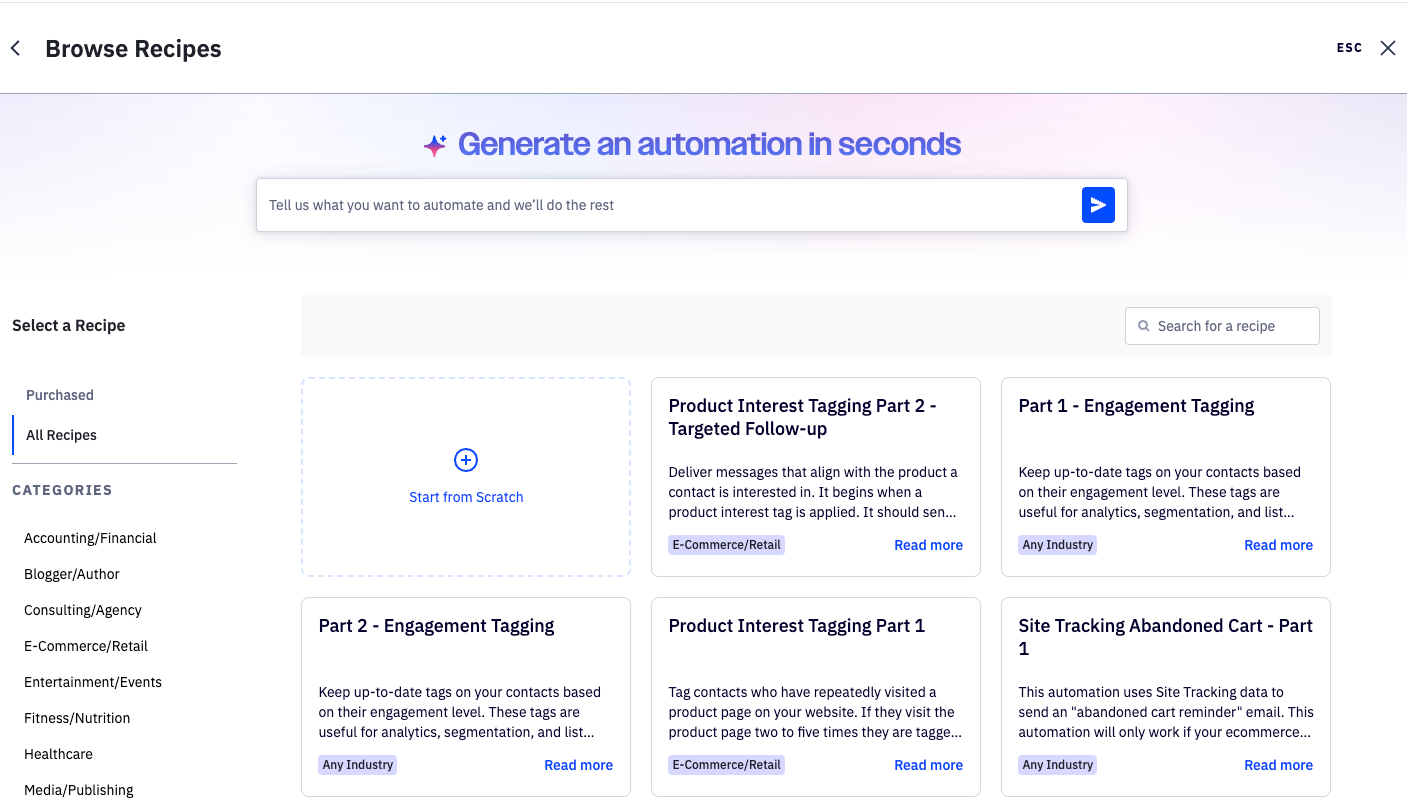
    ActiveCampaign automation recipes for ecommerce and customer workflows

    ActiveCampaign matters when the hard part of your marketing is no longer sending emails but coordinating complex workflows. If your complexity comes from branching, CRM logic and multi-stage customer processes rather than ecommerce-native functions alone, it addresses that architecture directly. User feedback consistently centers on automation flexibility, segmentation and workflow power. That fits the product's role here: the value shows up when the problem is coordinating logic across steps, conditions and customer states, not switching on standard ecommerce flows.

    The price of that power is setup and maintenance. Public user feedback commonly describes a learning-curve trade-off once automations become more advanced. On the ecommerce side, official documentation confirms Deep Data integrations for Shopify, WooCommerce, BigCommerce, Square and Magento, and for WooCommerce that includes syncing historical orders, abandoned carts, customers and products into segmentation and automation logic.

    If your needs are mainly store-centric flows (cart, welcome, post-purchase), that workflow depth can mean added configuration with little added value. Lean teams without a need for CRM-style branching, and stores that want to run on native ecommerce data with the least setup, are better served elsewhere.

    Mailchimp

    If you're already using Mailchimp, switching is not automatically an upgrade. That is why Mailchimp works as the benchmark in this guide: any move has to beat what you already have, net of the cost of leaving.

    Part of the case for staying is practical. A team that already knows the editor, templates and journey builder avoids the retraining and rebuild cost of a migration, and that counts for more than a comparison chart suggests. Part of it is capability. Mailchimp shouldn't be treated as a basic ecommerce tool by default. Its Site Tracking Pixel can capture page views, product views, add-to-cart actions and purchases on connected Shopify, Wix and WooCommerce stores, and the Standard plan and above include advanced segmentation with nested AND/OR logic.

    Pricing and automation depth are the usual reasons people leave, and they are real. The question is whether those capabilities remain sufficient at the complexity and contact tier you now need. When lifecycle flows grow more intricate or behavioral segmentation needs deepen, the limits become operational rather than theoretical. For a store starting fresh that already knows it needs deep behavioral segmentation or complex lifecycle logic, Mailchimp is unlikely to be the first choice.

    Drip

    Drip is easy to file as "another Klaviyo alternative," and that misses why a team would choose it. It is an ecommerce automation specialist with a different operating model, aimed at teams that want deeper ecommerce automation. Recent G2 feedback highlights its visual workflow builder and its ability to turn product and customer events into marketing actions without heavy developer involvement.

    The trade-offs are pricing, ecosystem and SMS. Drip's current pricing is driven by the number of active people and monthly email volume. The pricing page lists 90+ integrations, so check your own stack against that list. SMS needs special caution in a current comparison. Drip's billing documentation states that SMS is unavailable to new users, so a store that depends on SMS should verify current availability before treating Drip as a multichannel option.

    If SMS is central to your plan, start there: Drip's current billing documentation says SMS is unavailable to new users. That may rule it out regardless of its email strengths. The same goes if your key integrations sit outside its supported ecosystem. And if the price isn't justified by the ecommerce automation depth you'll actually use, a lower-cost option will likely serve you better.

    Brevo

    Brevo becomes interesting for a different reason than the others: its pricing structure and its multichannel and CRM scope. Calling it simply the cheapest option misses the point. Recent G2 feedback frequently highlights the convenience of handling several marketing activities in one place, and the appeal of a send-volume-oriented pricing model for some small and mid-size teams.

    The trade-off is tracking and integration architecture. Brevo's Shopify PushOwl app can install the tracker and sync Shopify data automatically, and compatible ecommerce plugins can send standard cart and order events into Brevo. More specialized custom behavior may still require tracker or API implementation, which adds operational work compared with platforms where more ecommerce behavior is native by default. G2 reviewers also mention that integrations and setup can be a friction point for some users.

    So the savings are real only if you have the capacity to do that setup. If your lifecycle depends on rich ecommerce behavioral triggers and your team can't invest in the tracking work, the apparent savings may be offset by effort. Teams that want ecommerce behavior wired in with minimal integration effort should look at the ecommerce-native options first.


    Stay vs. Switch: The Mailchimp Question

    Migration has real costs. Moving platforms means rebuilding flows, templates, segmentation, data connections and team habits, so the question is when the benefit grows large enough to justify that work.

    Staying makes sense when your existing workflows are sufficient, your team already understands the system, ecommerce automation needs remain moderate, and the cost of switching outweighs the incremental gains of a new platform.

    Switching starts to make sense when lifecycle flows are becoming more complex, you need deeper behavioral segmentation, pricing growth is becoming a problem, SMS or broader ecommerce workflow expansion is on the roadmap, or platform limitations are turning operationally significant.

    To calculate your own threshold, list the flows, templates and segments you would have to rebuild, estimate the hours, and compare that against a specific gain you expect. That gain might be revenue from better segmentation, lower cost at your list size, or a capability you can't get today. If you can't name a concrete gain, staying is usually the better call. If you can name several, the destination depends on which need is driving the move: behavioral depth (Klaviyo), store-centric simplicity (Omnisend), workflow architecture (ActiveCampaign), or cost structure (Brevo).

    Mailchimp Alternatives


    Pricing and Growth Cost

    Starting prices rarely predict what you'll pay as the store grows. A more useful comparison asks what drives the bill on each platform. The drivers differ more than the headline numbers do:

    PlatformWhat mainly drives cost
    KlaviyoActive profiles and email send allowance; advanced analytics can be an add-on
    OmnisendBillable contacts and plan tier, with send allowances and SMS rules varying by plan
    ActiveCampaignDynamic contact-based pricing and plan tier; advanced automation may require higher tiers
    MailchimpContact tier, plan tier, and send allowance or SMS add-ons
    DripActive people and email volume; SMS billed separately where available
    BrevoPrimarily send volume and plan tier rather than a simple contact-only model

    Plan tier matters as much as list size. If the automation you need sits on a higher tier, the headline starting price isn't the price you'll pay, so compare the plan that actually supports your workflows.

    When you run your own numbers, check four list sizes: 1,000, 5,000, 10,000 and 30,000 contacts. At the smaller sizes, compare the plan that supports your required ecommerce automation, along with the monthly send allowance and how SMS and add-ons are treated. By 10,000, re-run each vendor's live calculator and note whether cost is being driven mainly by contacts or profiles, or by send volume. At 30,000, several vendors use dynamic calculators or tailored pricing, so rely on live quotes rather than estimates.

    Keep your sending profile in view throughout. A contact-heavy, lower-frequency sender and a frequent ecommerce sender will often find different platforms more economical, even on the same list size.


    How to Choose

    A short sequence works better than a feature checklist:

    1. Start with your ecommerce platform. Shopify and WooCommerce don't hand data to an email platform in the same way, so check integration details for yours before anything else.
    2. Be honest about your team. Count who will build and maintain the flows. Capability nobody has time to use doesn't help.
    3. Name your automation problem. If it's customer behavior, you're in Klaviyo territory. If it's workflow and CRM architecture, look at ActiveCampaign.
    4. Test the segmentation you actually need. If your requirements are individualized or data-heavy, check data-model limits before committing.
    5. Model cost at your list size and sending frequency. Use the contact tiers above and identify what drives cost on each platform.
    6. If you use Mailchimp, calculate the switching threshold. Weigh rebuild effort against a specific, named gain.
    7. Shortlist two platforms and test the workflows that matter most. Klaviyo and Omnisend currently offer free plans capped at 250 contacts/profiles and 500 monthly email sends; ActiveCampaign offers a 14-day trial with Professional-plan features but limited sending and one user; Mailchimp offers a 14-day trial of Standard or Essentials for eligible accounts; Drip offers a 14-day trial with no credit card; and Brevo's Free plan has no time limit, with 300 daily email sends and marketing automation limited to 2,000 contacts. Verify these conditions again at publication because trial terms can change.

    Best Newsletter Platforms in 2026


    Conclusion

    No single platform is the best email marketing software for ecommerce. The answer moves with your situation.

    A small Shopify store with a lean team should start with Omnisend and check whether Mailchimp or Brevo fits its cost and workflow needs better. A growing DTC brand reaches the point where Klaviyo becomes relevant once behavioral segmentation and lifecycle depth start driving results, with Omnisend and Drip as alternatives. For advanced lifecycle teams, the choice is Klaviyo for behavior-driven complexity or ActiveCampaign for workflow and CRM complexity. WooCommerce stores should compare Omnisend, ActiveCampaign and Drip on how each handles their order, product and cart data. Cost-sensitive stores should look at Brevo and Omnisend and model pricing against their real sending profile rather than the starting price. And if you're already on Mailchimp, don't switch until the gain clearly outweighs the rebuild.

    The right platform is the one whose strengths match the problem you actually have, at a cost and complexity your team can sustain.

  • 7 Best Ecommerce Email Marketing Software in 2026

    7 Best Ecommerce Email Marketing Software in 2026

    Draft-final for WordPress draft | Fact-check date: September 28, 2026

    Ecommerce email software earns its place by what happens after a shopper lands on your store. The useful platforms can pull in store and customer data, react to browsing or purchase behavior, trigger lifecycle messages, and connect at least some of that activity back to revenue.

    That makes the buying decision different from choosing a newsletter tool. A small store running a few campaigns does not need the same system as a DTC brand building multi-step post-purchase and win-back flows. The shortlist below is organized around the constraint that matters most to the store—not around a universal winner.

    Data note: Pricing and plan rules in this draft were rechecked against current vendor information on September 28, 2026. Because vendors change plans frequently, run one final live-data check immediately before publication.

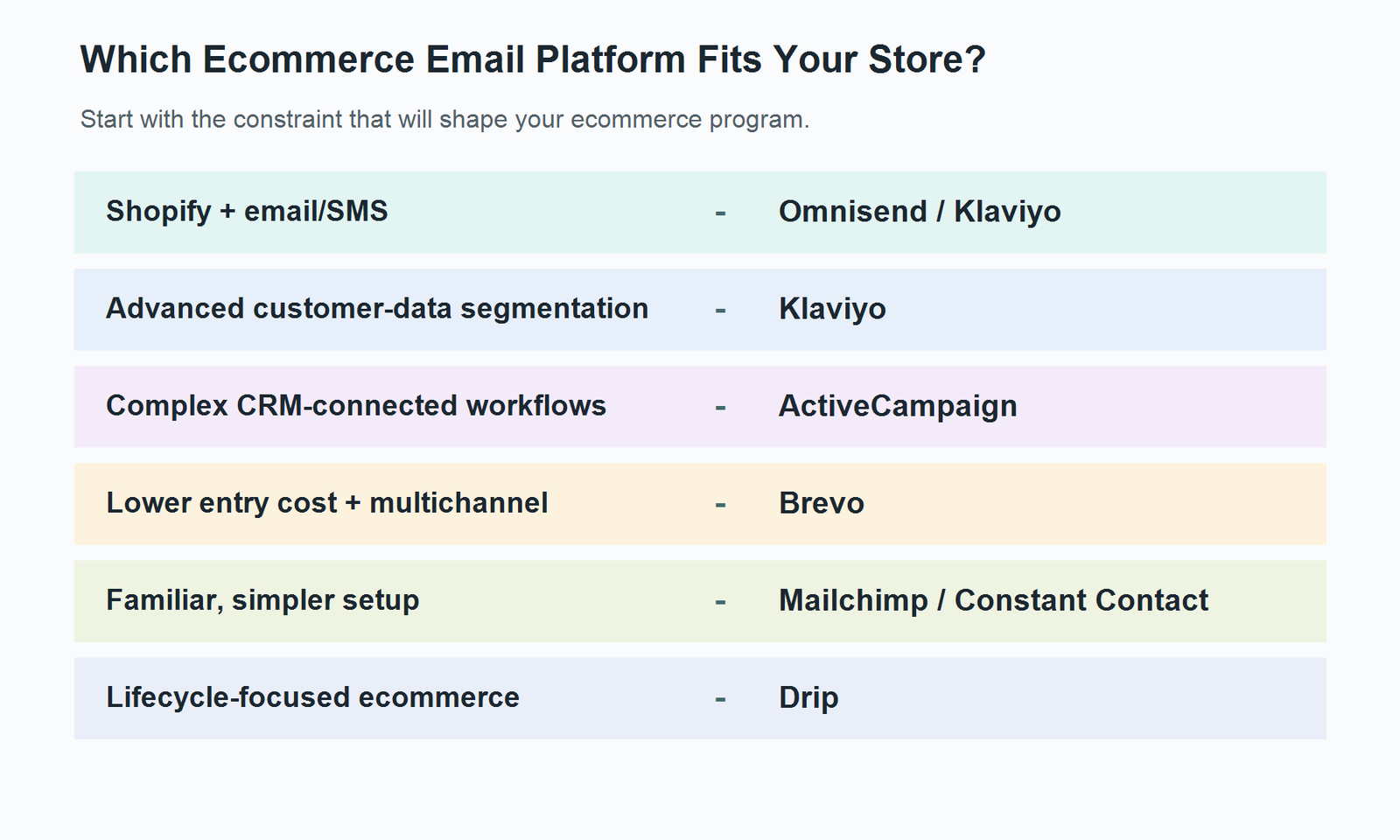
    Start With Your Store Constraint

    Use this as a first-pass filter, not a ranking.

    Your main constraintStart withWhy it belongs on the shortlist
    Shopify + email/SMS in one ecommerce-focused workflowOmnisend / KlaviyoBoth are ecommerce-focused; the tradeoff is operating simplicity versus deeper segmentation/data use
    Advanced customer-data segmentation and lifecycle logicKlaviyoStrong emphasis on store data, segmentation, flows, and revenue reporting
    Complex CRM-connected or heavily branched automationsActiveCampaignBroader automation and CRM logic than most ecommerce-first tools
    Lower entry cost with multiple channelsBrevoLow entry pricing plus email, SMS, and other channels
    Familiar setup for a smaller storeMailchimp / Constant ContactLower operational learning burden for teams that do not need maximum automation depth
    Repeat-purchase and lifecycle automationDripEcommerce workflows are organized around customer behavior and lifecycle stages
    Decision guide matching ecommerce store constraints to email marketing platforms

    Compare the 7 Ecommerce Email Platforms

    Use the table to eliminate tools that clearly do not match your stack or operating model. Pricing is entry-level and should be treated as a starting point rather than the likely cost of a growing store.

    EmailMarketingChoice.com — Article Draft

    PlatformBest ForShopifyWooCommerceAutomationSMSRevenue Attribution / ReportingStarting Price / TrialMain Tradeoff
    KlaviyoData-driven DTC and scaling ecommerce teamsSupportedSupportedStrong ecommerce flows and segmentationAvailableBuilt-in campaign revenue attributionFree to 250 active profiles / 500 emails; paid pricing scales with profiles and sendsDepth and list growth can create both cost and management overhead
    OmnisendEcommerce teams that want email + SMS with a simpler operating modelSupportedSupportedEcommerce automations and prebuilt workflowsCurrent new subscribers need Pro; SMS is separately meteredEcommerce campaign / automation reportingFree to 250 contacts / 500 emails; Standard from $16/mo; Pro from $59/moAdvanced branching, reporting depth, and customization can become constraints
    ActiveCampaignComplex automation and CRM-connected workflowsStandard ecommerce integrationStandard ecommerce integrationMulti-step automation; deeper capability depends on planAdd-onEcommerce reporting; deeper attribution features are plan-dependentStarter from $15/mo for 1,000 contacts; 14-day trial; no free planFlexibility requires more build and maintenance effort
    BrevoLower-entry-cost multichannel marketingSupported through ecommerce integrations/pluginsSupported through ecommerce integrations/pluginsMarketing automation, with higher limits/features on paid plansAvailable via creditsEcommerce revenue dashboard in supported setupsFree; Starter from $9/mo; Standard from $18/moLess ecommerce-native than tools built around store behavior; some ecommerce reporting has setup limits
    MailchimpFamiliar, simpler ecommerce setupsSupportedSupportedMarketing Automation Flows; depth varies by planPaid-plan add-on; not on FreeEcommerce / attributable revenue reporting in supported integrationsFree to 250 contacts / 500 sends; paid pricing varies by plan and contact countGeneral marketing breadth can be more than some stores need while advanced lifecycle use may push you up-plan
    DripLifecycle-focused ecommerce automationNative integrationNative integrationEcommerce behavior-based workflowsNot a primary strengthRevenue attribution with configurable window$39/mo for up to 2,500 people; 14-day trial; no free planNarrower fit if you want a broad multichannel marketing suite
    Constant ContactSmall stores prioritizing simplicity and supportSupportedSupportedEcommerce automation available; deeper paths depend on planAdd-on on Lite/Standard; included allocation on PremiumEcommerce sales/revenue tracking in supported integrationsLite from $12/mo; free trial availableAdvanced segmentation and deeply customized lifecycle logic are less flexible than specialist tools

    The Platforms, Reviewed by Store Fit

    Klaviyo: when customer data becomes the operating system

    Klaviyo becomes interesting when a store no longer wants to treat every subscriber the same. Its ecommerce value comes from combining store activity with segmentation and flows: purchase behavior, customer attributes, campaign activity, and lifecycle events can all become inputs to who gets what message and when.

    For a growing DTC brand, that depth matters when the email program starts branching. First-time buyers may need a different post-purchase path from repeat customers. High-value customers can be segmented differently from discount-driven buyers. Revenue reporting can then help connect campaigns and flows back to orders rather than stopping at clicks.

    Klaviyo flow builder showing ecommerce automation options

    The tradeoff is that the same depth has to be operated. In our user-feedback sample, segmentation and automation were among the most frequently praised themes, while pricing was one of the most common negative themes. A store with a growing list should therefore model the software cost against the revenue those deeper flows are actually generating.

    Where it makes the most sense: a DTC or Shopify-centered brand with repeat-purchase potential and someone who will actively maintain segments and automations.

    Skip it if: you mainly send promotions plus a few standard flows and are unlikely to use advanced segmentation or customer-data logic. In that case, the extra depth can add cost faster than it adds value.

    Omnisend: easier ecommerce operations, with a sharper SMS caveat in 2026

    Omnisend sits close to Klaviyo in the ecommerce shortlist, but the operating feel is different. Its appeal is getting common ecommerce workflows running without making the marketing stack feel like a separate software project.

    That makes it especially relevant to Shopify-centered teams that want campaigns, automations, and SMS in one environment. There is an important 2026 pricing change, though: for new subscribers from May 4, 2026 onward, SMS is available on Pro rather than Free or Standard, and SMS usage is purchased separately on a volume basis. That makes “email + SMS in one place” a valid capability, but not a reason to assume SMS is bundled into the lower plans.

    Omnisend ecommerce automation workflow interface

    Our VOC sample also sharpened the real tradeoff. Ease of use was one of the strongest recurring positive themes, while limitations appeared around more complex automation, reporting depth, editor flexibility, and some integration scenarios.

    Consider Omnisend if: you want an ecommerce-first workflow that is comparatively quick to operate and your automation needs still look like recognizable store journeys.

    Skip it if: highly customized branching logic, deep reporting, or CRM-connected workflows are central to your marketing operation. That is where a broader automation platform may justify the extra complexity.

    ActiveCampaign: when ecommerce turns into an automation problem

    Some stores outgrow simple triggers before they outgrow email itself. If customer journeys branch across products, lead stages, sales follow-up, and non-store systems, the limiting factor stops being “does this tool have an abandoned-cart template?” and becomes “can the workflow model the business?”

    That is where ActiveCampaign belongs on the shortlist. Its current ecommerce support includes standard integrations for Shopify and WooCommerce, while BigCommerce and Shopify Plus sit in the premium integration tier. It also supports abandoned cart, product catalog/blocks, coupons, and ecommerce reporting.

    The cost is operational. Starter pricing begins at $15 per month for 1,000 contacts, but that plan limits automation actions and reporting compared with higher tiers. More complex automation is only useful if someone owns the logic and keeps it current as products, offers, and customer journeys change.

    Good fit when: ecommerce email is connected to CRM-style processes or the business needs automation that reaches well beyond standard store flows.

    Skip it if: you want a handful of ecommerce automations running quickly and nobody on the team wants to maintain complex workflow logic.

    Brevo: lower entry price, but check how ecommerce-native you need the stack to be

    Brevo is attractive when the budget conversation happens early and the team still wants more than email. The current Free plan allows 300 emails per day, Starter begins at $9 per month, and Standard at $18. SMS is available through prepaid credits rather than being tied to one simple all-inclusive email plan.

    That low entry point should not be confused with “the cheapest at every size.” What matters is whether Brevo’s ecommerce model matches the store. It can support ecommerce data and revenue analysis, but its ecommerce dashboard depends on supported plugin/API setups and has constraints that ecommerce-native platforms may not.

    For a smaller store, that can be a perfectly reasonable trade: pay less at the entry point and avoid buying depth you do not need.

    The strongest fit is: a cost-sensitive small business or mixed-stack store that wants email plus other channels without starting at a high monthly software cost.

    Skip it if: deeply ecommerce-native store-data workflows, multiple-store analytics, or advanced product-level automation are central to the program.

    Which Platform Fits Your Store Stage?

    Software requirements change as the store changes.

    Just starting: Mailchimp, Brevo, and Constant Contact deserve the first look. The main question is whether you value familiarity, lower entry pricing, or more guided small-business tooling.

    Growing Shopify store: compare Omnisend and Klaviyo early. Omnisend is the simpler operating model in our VOC sample; Klaviyo earns the comparison when segmentation and data depth start to matter.

    Scaling DTC brand: Klaviyo becomes more compelling when repeat purchase, customer lifetime value, and differentiated lifecycle logic are already business priorities.

    Complex automation: ActiveCampaign makes more sense when customer journeys extend into CRM-style processes or require heavy branching.

    Lifecycle-led ecommerce: Drip deserves a direct look when welcome, purchase, repeat purchase, and win-back flows are the center of the retention strategy.

    These stages overlap. A lean Shopify team can have sophisticated revenue goals but limited time to maintain automations, which is why the tradeoff matters more than the label.

    Three More Options for Simpler or Lifecycle-Focused Stores

    Mailchimp: familiar first, ecommerce-capable second

    Mailchimp is often the least intimidating transition for a team that already knows its campaign editor or has used it for newsletters. Its current Free plan supports up to 250 contacts and 500 monthly sends, while paid plans add more automation depth. SMS is available only as an add-on to paid marketing plans.

    Mailchimp also has more ecommerce capability than the “newsletter tool” stereotype suggests. Supported store integrations can feed purchase behavior into segmentation and automations, and higher plans add more advanced marketing flows.

    That does not automatically make it the right long-term lifecycle platform. The question is whether the store will eventually need highly specialized ecommerce data logic or simply a familiar system that handles campaigns and standard automations reliably.

    If you’re already using Mailchimp and considering a move, Mailchimp Alternatives can cover the migration and alternative context. For newsletter-first use cases, Best Newsletter Platforms in 2026 is the better comparison.

    A sensible fit when: a small store wants a familiar interface, standard ecommerce automations, and room to grow without adopting a specialist platform immediately.

    Skip it if: advanced lifecycle segmentation and highly ecommerce-specific automation are already requirements rather than future possibilities.

    Drip: organize the program around the customer lifecycle

    Drip’s ecommerce story is unusually direct: Shopify, WooCommerce, and BigCommerce are native integrations, and the product is built around behavior-based automation for B2C businesses that sell online.

    That means the useful question is not whether Drip can send a newsletter. It is whether the store wants to organize retention around customer behavior—welcome, cart recovery, first purchase, post-purchase, repeat purchase, and win-back.

    Drip currently starts at $39 per month for up to 2,500 people and offers a 14-day trial rather than a permanent free plan. Revenue attribution is also part of the ecommerce decision layer rather than an afterthought.

    Where it makes the most sense: a store with a clear repeat-purchase strategy that wants email automation tied closely to lifecycle behavior.

    Skip it if: SMS or a broad all-in-one multichannel suite is a primary requirement. Drip’s own current positioning makes email-led B2C automation the center of gravity.

    Constant Contact: simpler operations for an owner-led store

    Constant Contact is worth considering when the person doing email is also doing five other jobs. The current Lite plan starts at $12 per month, and the platform offers a free trial. Shopify and WooCommerce can feed ecommerce customer activity into automation paths, including welcome, purchase follow-up, review requests, and re-engagement-style journeys.

    SMS is available as an add-on on lower plans, while deeper automation and segmentation increase as you move up the plan ladder.

    The key tradeoff is not that Constant Contact “cannot do ecommerce.” It can. The limitation is how far you want to push segmentation and lifecycle logic before a more specialized platform becomes easier to justify.

    This becomes interesting when: a small store values guided setup, support, and an approachable interface more than maximum workflow flexibility.

    Skip it if: advanced segmentation, highly branched lifecycle automation, or granular ecommerce data logic are already core operating requirements.

    The Automations That Actually Matter for Ecommerce

    Feature checklists blur together quickly. Workflows are more useful because they reveal whether the platform can react to the customer journey your store actually has.

    Before buying, mark each workflow as native, integration-dependent, limited by plan, or unavailable for the exact store platform and plan you would use.

    Welcome: Can the flow branch by signup source, purchase status, or customer segment?

    Browse abandonment: Does the store integration pass product-view events, and is the workflow available on your plan?

    Cart abandonment: Can the message render real cart contents, and are follow-ups limited by plan or workflow rules?

    Post-purchase: Can it branch by product, order value, or first-time versus repeat purchase?

    Cross-sell: Are product recommendations native, catalog-driven, or dependent on another tool?

    Review request: Does the platform trigger this itself or depend on a review-app integration?

    Win-back: How flexibly can you define a lapsed customer?

    Back-in-stock: Is inventory data native to the integration or dependent on an add-on?

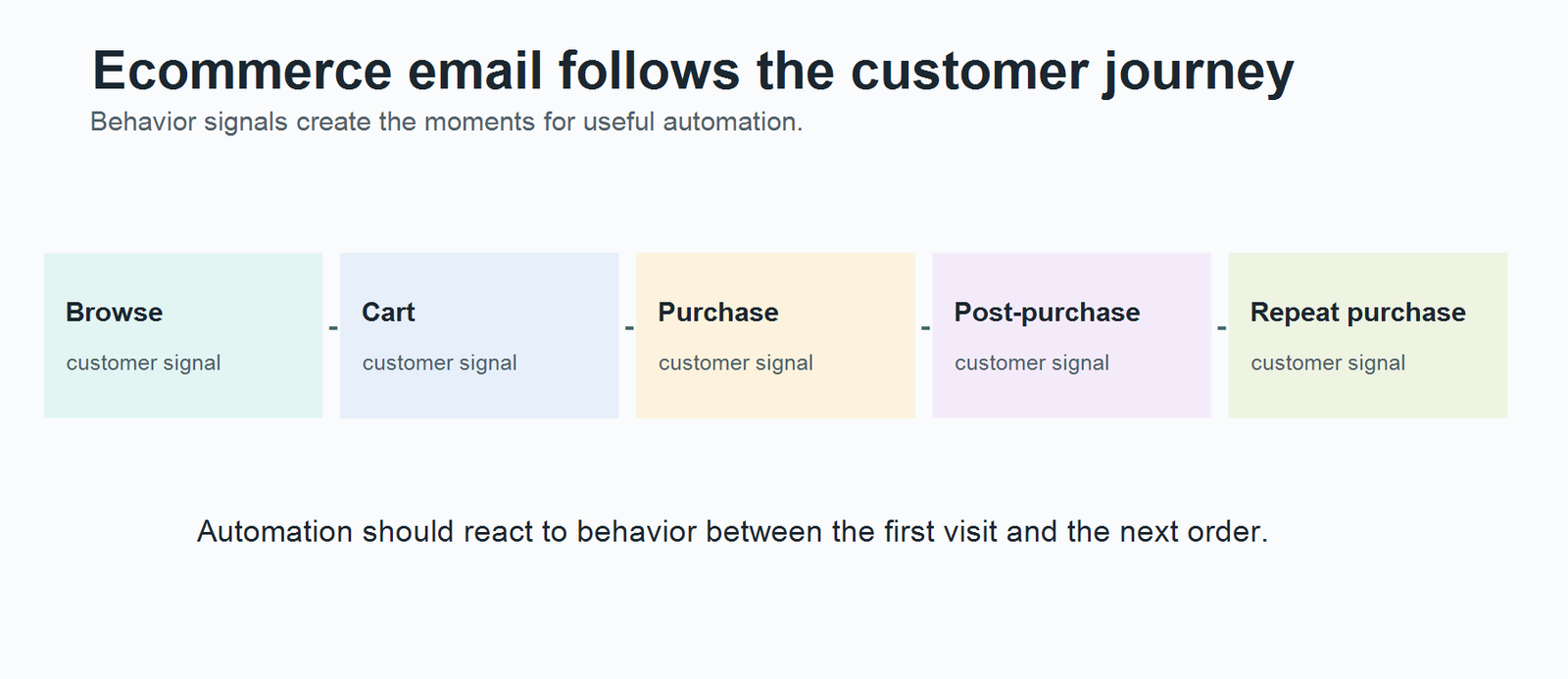
    Ecommerce customer journey from browse through repeat purchase

    This is the practical dividing line between a newsletter-capable platform and a serious ecommerce automation system. The latter needs to react to shopper behavior between the first browse and the next purchase.

    Use These 5 Questions to Eliminate the Wrong Tools

    1. What store data must move into the platform?

    Do not stop at “Shopify integration: yes.” Check whether the integration syncs products, orders, customer behavior, and the events required by your automations. A shallow contact sync can technically count as an integration while still blocking the workflows you actually want.

    2. Which revenue workflows must run without manual work?

    List the flows that materially affect the store: cart recovery, post-purchase, cross-sell, win-back, back-in-stock. Then confirm those flows at the exact plan level you would buy.

    3. Does SMS belong inside the same automation?

    If SMS is part of the roadmap, check both capability and billing. Omnisend’s 2026 plan change is a good example: SMS is available, but new subscribers need Pro and then pay for SMS usage separately. Mailchimp also treats SMS as a paid-plan add-on.

    4. What happens to the bill when the list doubles?

    Model the cost at today’s list size, then at 2x and 5x. Contact-based platforms can become expensive for a store whose list grows faster than revenue. Send-based pricing can behave differently. Entry price alone is not enough.

    5. Who will maintain the automation?

    A more capable platform is not automatically more valuable. If nobody on the team will maintain branching logic, segments, exclusions, and lifecycle rules, a simpler platform used well can outperform a deeper platform used superficially.

    What Ecommerce Users Say About Klaviyo vs Omnisend

    Feature pages explain what software can do. User feedback is more useful for understanding what becomes easy, expensive, frustrating, or valuable after the tool is actually in use.

    For this article, we reviewed a small exploratory sample of 20 public user reviews and discussions: 10 relating to Klaviyo and 10 to Omnisend. We de-identified the feedback and tagged recurring themes relevant to ecommerce software selection.

    This is not a representative survey. It reflects the people who chose to post publicly, so the counts below should be read as directional evidence within this sample—not as percentages of all Klaviyo or Omnisend customers.

    What appeared most often in the sample

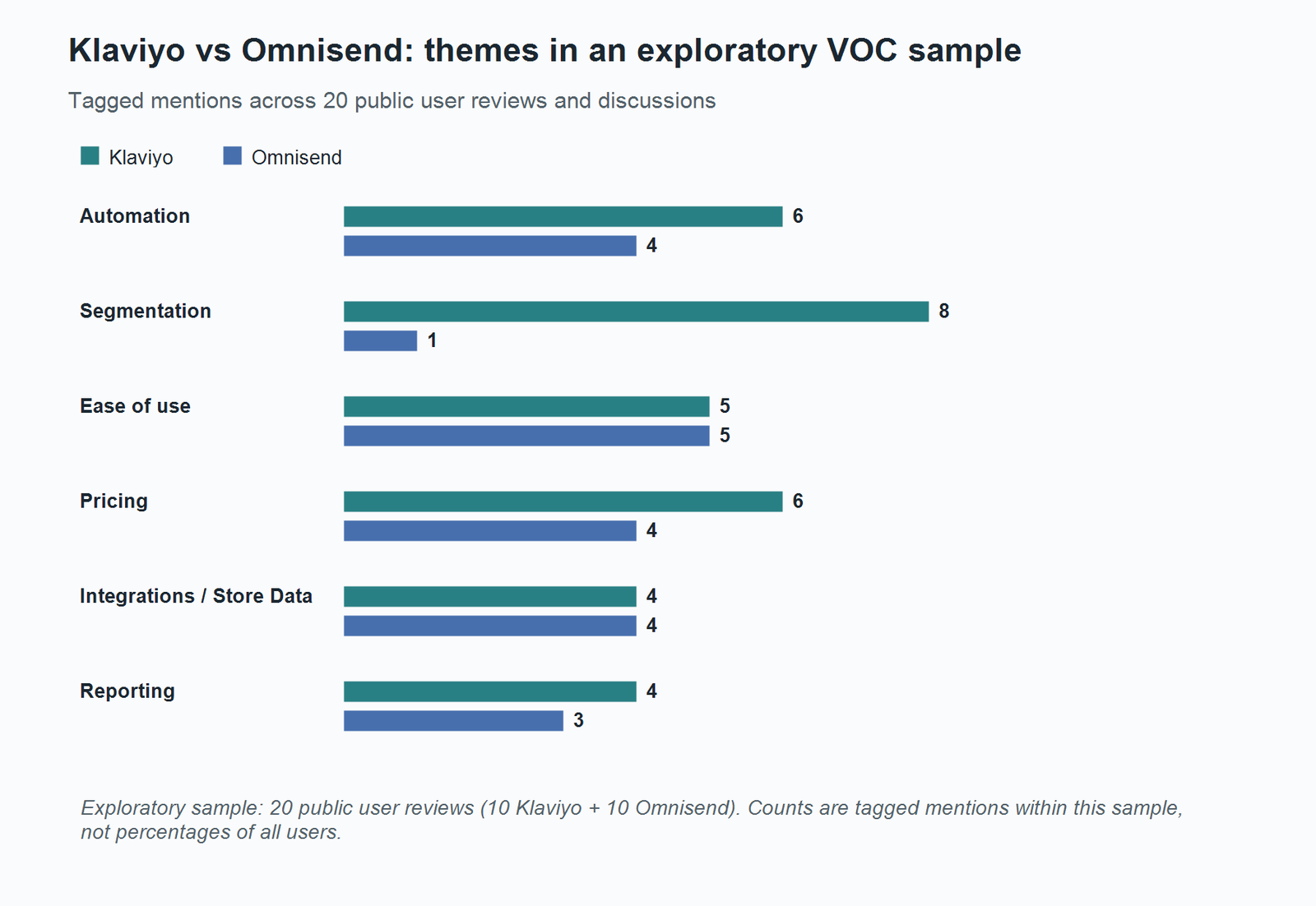
    ThemeKlaviyo tagged mentionsOmnisend tagged mentions
    Automation64
    Segmentation81
    Ease of use55
    Pricing64
    Integrations / store data44
    Reporting43
    Bar chart comparing Klaviyo and Omnisend tagged user-feedback themes

    Exploratory VOC sample: 20 public reviews/discussions (10 Klaviyo, 10 Omnisend). Counts are tagged mentions within this sample, not percentages of all users.

    Klaviyo feedback clustered around depth

    Segmentation was the strongest recurring theme in the Klaviyo sample, with automation also appearing frequently. Users valued the ability to work with detailed customer and store data and build more sophisticated lifecycle logic.

    The cost side appeared just as clearly. Pricing was one of the most frequently mentioned negative themes, especially in the context of list growth. Ease-of-use feedback was mixed rather than uniformly negative: some users found the platform intuitive, while others described the depth as creating a learning curve.

    The useful interpretation is not “Klaviyo is hard to use.” It is that depth creates both leverage and operating overhead.

    Omnisend feedback clustered around accessibility

    Ease of use was one of the strongest recurring Omnisend themes. Automation, integrations, pricing/value, and support also appeared repeatedly in the broader tagging work.

    The limitations in the sample were more specific than “less powerful than Klaviyo.” They appeared around advanced branching, reporting depth, editor flexibility, and some integration scenarios. Support feedback was mostly positive in the sample but not uniform.

    The useful interpretation is therefore not “Omnisend is basic.” It is that its operating simplicity is part of the product value, while advanced edge cases are where the tradeoff becomes more visible.

    What the sample means for the Klaviyo vs Omnisend decision

    The strongest distinction was depth versus operating simplicity, not “good versus bad.”

    Choose Klaviyo first when sophisticated segmentation, customer-data use, and increasingly detailed lifecycle logic are likely to justify the additional cost and management effort.

    Choose Omnisend first when the team wants an ecommerce-focused workflow that is quicker to operate, especially when standard store automations cover most of the retention program.

    Treat that as a shortlist decision, not a universal verdict. Store size, team skill, SMS requirements, and pricing at the actual contact tier can still reverse the choice.

    Build Your Two-Tool Shortlist

    Do not leave this article with seven tabs open. Use the store’s main constraint to get down to two.

    Shopify + ecommerce email/SMS: start with Klaviyo vs Omnisend. Compare Klaviyo’s data and segmentation depth against Omnisend’s simpler operating model, then price both at your real list size.

    Complex CRM or multi-step automation: compare ActiveCampaign vs Klaviyo. The deciding question is whether the workflow extends beyond ecommerce lifecycle marketing into broader CRM logic.

    Lower-entry-cost multichannel marketing: compare Brevo vs Mailchimp. Brevo has the lower current entry price; Mailchimp offers a familiar general-marketing environment with supported ecommerce automation.

    Lifecycle-first ecommerce: compare Drip vs Klaviyo. Drip is more narrowly centered on B2C lifecycle automation, while Klaviyo offers deeper customer-data and segmentation tooling.

    Simple owner-operated store: compare Mailchimp vs Constant Contact. The deciding factor is likely to be which interface, support model, integrations, and plan limits fit the person who will actually run the program.

    The final choice should survive three checks before you migrate: the exact store integration passes the data your flows need, the workflows are available on the plan you can afford, and the cost still makes sense when the list grows.

  • Best Newsletter Platforms in 2026

    Best Newsletter Platforms in 2026 hero image

    Newsletter platforms now fall into two fairly different camps.

    Some are built for the newsletter itself to become the business: you publish, grow an audience, sell subscriptions, and sometimes run sponsorships inside the same ecosystem. Others treat the newsletter as one channel inside a broader marketing system, alongside automation, segmentation, funnels, or product sales.

    That distinction matters more than a long feature checklist.

    This guide compares seven platforms across both groups: beehiiv, Substack, Ghost, and Buttondown on the newsletter-first side, plus Kit, MailerLite, and GetResponse for creators and businesses that need broader email-marketing capabilities.

    We evaluated these platforms using current vendor documentation, public product information, and recurring themes in user feedback. This is not presented as hands-on testing, and we do not use an overall “winner.” The goal is to help you narrow the field based on how you actually plan to use your newsletter.

    Quick Decision Guide

    Use this as a starting filter rather than a ranking.

    Your priorityStart by evaluatingWhy
    Newsletter-first growth and monetizationbeehiivBuilt around newsletter publishing, recommendations, referrals, ads, and paid subscriptions
    Creator products and automated subscriber journeysKitStronger creator-focused automation and commerce than most newsletter-first tools
    Minimal setup and built-in network discoverySubstackPublishing is free, setup is simple, and discovery happens inside the Substack ecosystem
    Ownership, publishing control, and membership infrastructureGhostCombines website publishing, newsletters, memberships, and paid subscriptions with strong control over the publication itself
    Straightforward newsletters plus small-business email marketingMailerLiteCovers campaigns, forms, landing pages, and automation without requiring a large marketing stack
    A minimal writer-first workflowButtondownFocuses on writing and sending, with optional features added only when needed
    Newsletter publishing inside a broader automation stackGetResponseCombines newsletters with deeper automation, funnels, webinars, and creator tools

    What Actually Matters When Choosing a Newsletter Platform

    The right platform depends less on how many features it advertises and more on which parts of the newsletter workflow you expect to matter later.

    Is the newsletter the product or a marketing channel?

    This is the first question to answer.

    If the newsletter is becoming a media product, paid publication, or audience-led business, newsletter-first platforms usually deserve the first look.

    If the newsletter exists to nurture leads, support ecommerce, sell courses, or sit inside a larger marketing funnel, broader email-marketing platforms tend to make more sense.

    How will you grow the audience?

    Some platforms have their own recommendation or discovery systems. Others give you forms, landing pages, referral tools, and automation but expect you to generate traffic yourself.

    That difference affects both growth strategy and portability. A platform-native recommendation network can be useful, but the growth advantage may be tied to staying inside that ecosystem.

    How do you plan to make money?

    Paid subscriptions are only one model.

    Depending on the platform, monetization may also include ads, sponsorships, digital products, courses, memberships, or ecommerce. Just as important is how the platform charges you: flat software fees, subscriber-based pricing, optional add-ons, or a percentage of subscription revenue.

    How much automation do you really need?

    A weekly editorial newsletter and a multi-step creator sales funnel are very different jobs.

    If you only need to publish and send, deep automation can become cost and interface overhead. If subscriber behavior needs to trigger sequences, tags, purchases, or ecommerce workflows, basic newsletter tooling can become restrictive.

    What happens as the list grows?

    Free plans are useful for getting started, but the more important question is what the platform looks like at 5,000, 10,000, or 50,000 subscribers.

    Look at subscriber-based pricing, send limits, revenue share, and which features sit behind higher tiers before you migrate a large list.

    Newsletter Platform Comparison

    PlatformBest fitPlatform typeGrowth modelAutomation levelMonetization model
    beehiivNewsletter-first growth and monetizationNewsletter-firstRecommendations, referrals, owned promotionModeratePaid subscriptions, ads, digital products
    KitCreator businesses and automated journeysCreator-focused email marketingForms, landing pages, Creator NetworkDeep on paid plansDigital products, subscriptions, creator commerce
    SubstackWriters prioritizing simplicity and network discoveryNewsletter-firstSubstack network, recommendations, app discoveryLimitedPaid subscriptions with platform revenue share
    GhostIndependent publishing and ownershipPublishing + newsletter platformOwned distribution, SEO, recommendations, social webBasic to moderatePaid memberships and subscriptions
    MailerLiteSmall-business newsletters and campaignsEmail marketingForms, landing pages, pop-upsModerateDigital products and paid newsletter features
    ButtondownMinimal writer-first newslettersNewsletter-firstMostly owned growthBasic, extendable with add-ons/APIPaid subscriptions with optional add-ons
    GetResponseNewsletter plus broader marketing automationEmail marketing / creator suiteForms, landing pages, funnelsDeepPremium newsletters, creator and ecommerce workflows

    The 7 Newsletter Platforms Worth Comparing

    beehiiv: Built Around Newsletter Growth

    beehiiv makes the most sense when the newsletter is not just another email campaign but the center of the business.

    Its free Launch plan currently supports up to 2,500 subscribers and includes newsletters, a website, analytics, unlimited sends, custom domains, and the Recommendation Network. Paid plans add capabilities such as the Ad Network, digital products, email automations, and a 0% take rate from beehiiv on paid subscriptions. Payment-processing fees still apply separately.

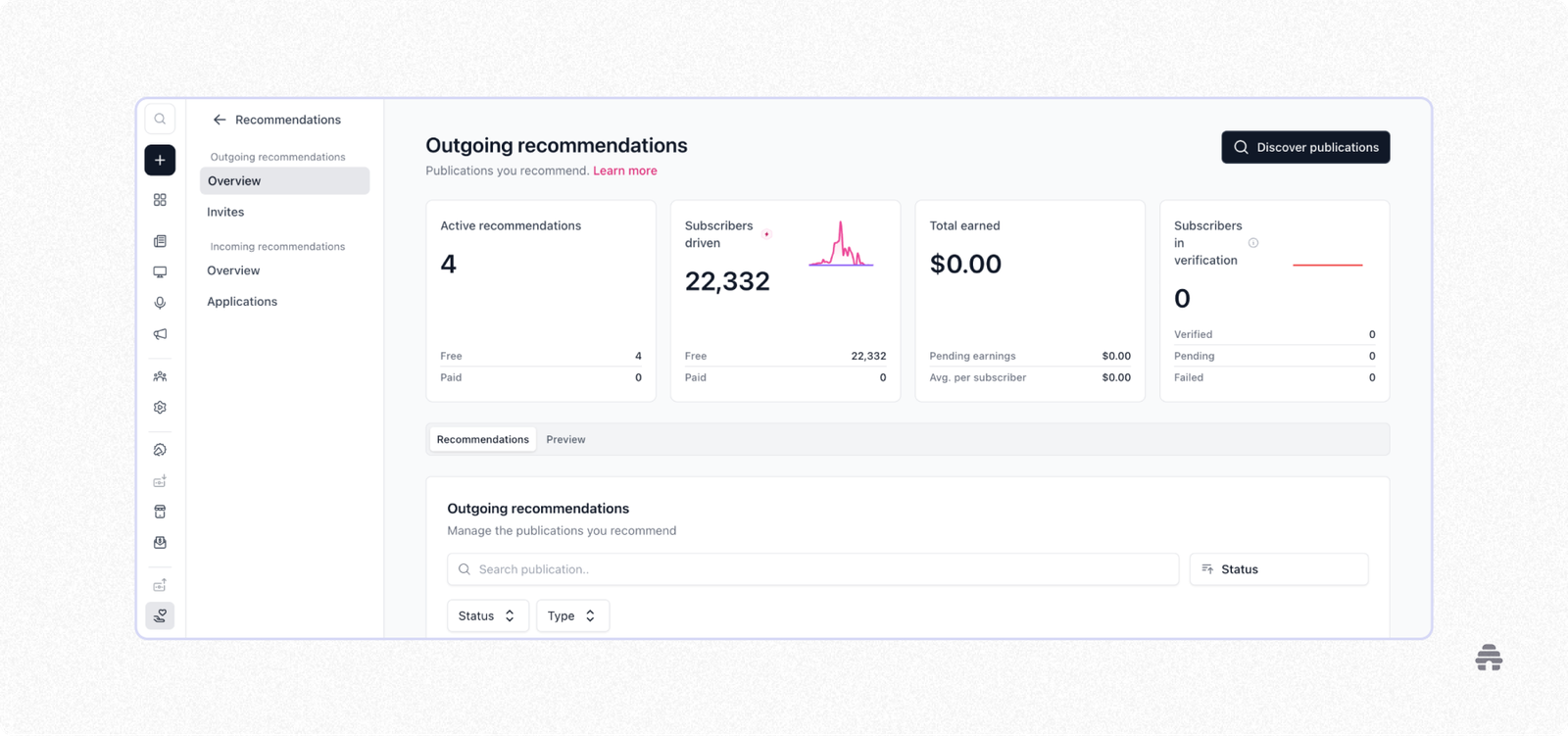
    beehiiv Recommendations dashboard showing active recommendations and subscribers driven

    That structure explains why beehiiv is often attractive to publishers who want several newsletter-specific growth and monetization tools in one place rather than assembling separate products.

    The trade-off is focus. beehiiv is designed around newsletter publishing and growth, not around complex CRM workflows, lead scoring, or broad ecommerce automation. If your newsletter eventually becomes one part of a more complicated customer journey, you may need another system alongside it.

    Consider beehiiv if: growth loops, recommendations, sponsorships, and newsletter monetization are central to the plan.

    Look elsewhere if: you need the newsletter deeply connected to sales pipelines, CRM logic, or advanced cross-channel automation.

    Kit: Better Fit When the Newsletter Supports a Creator Business

    Kit sits in a different category.

    Its free plan currently supports up to 10,000 subscribers, with unlimited broadcasts, forms, landing pages, tagging and segmentation, digital products and subscriptions, and access to the Creator Network. Visual Automations and email sequences require a paid Creator or Creator Pro plan.

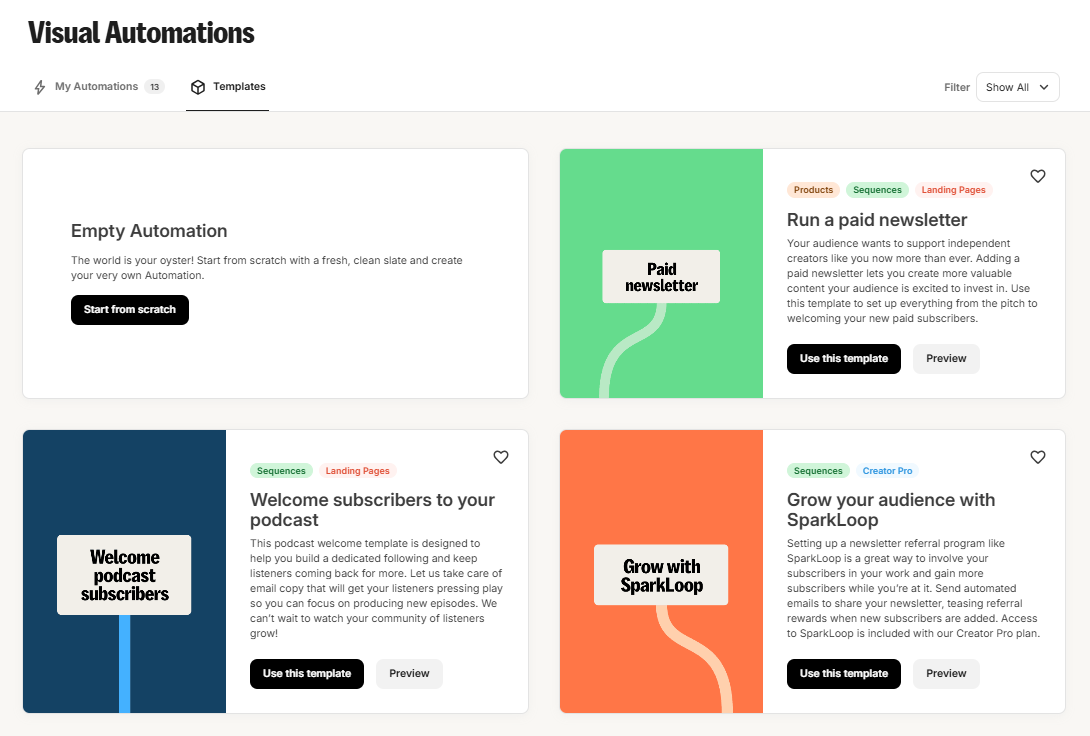
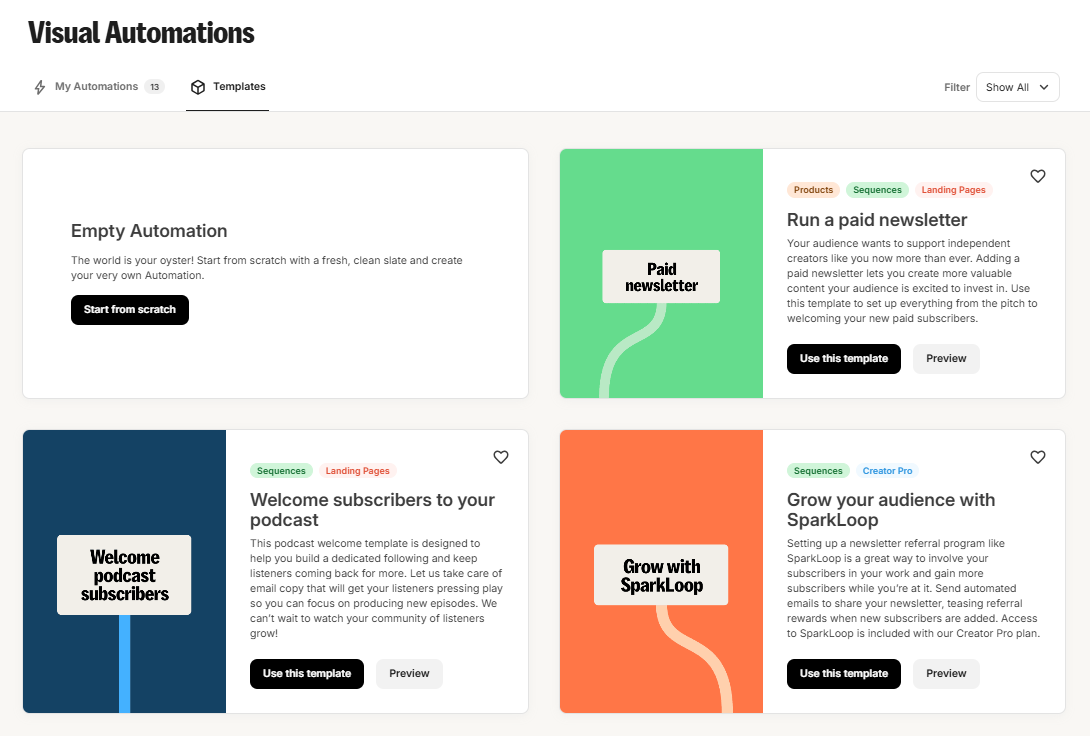
    Kit Visual Automations template library with a paid newsletter template

    That distinction matters. Kit is strongest when a subscriber joining a newsletter is the beginning of a workflow rather than the end of it.

    A creator selling a course, membership, digital download, or paid newsletter can connect subscriber tags, sequences, products, and automation in one system. That is more than a newsletter-first publisher may need, but it is useful when email is tied directly to revenue flows.

    The cost is complexity. If you only want to write and send one publication every week, the automation layer may not add enough value to justify using a broader creator-marketing platform.

    Consider Kit if: the newsletter feeds product launches, courses, paid content, or automated creator funnels.

    Look elsewhere if: your main priority is publishing simplicity or platform-native newsletter discovery.

    Substack: The Lowest-Friction Publishing Model

    Substack removes much of the setup work associated with starting a newsletter.

    Publishing is free regardless of list size. If you turn on paid subscriptions, Substack currently takes 10% of each paid transaction, with Stripe processing and billing fees applying separately.

    That model creates a clear trade-off.

    At the beginning, there is no software subscription to justify. You can publish, build an audience, and use Substack’s app, recommendations, and broader reader network without assembling your own publishing stack.

    As paid revenue grows, however, a percentage-based fee becomes more meaningful. Publishers also have less control over the surrounding product experience than they would with a system built around their own site.

    Subscriber data is exportable as CSV, which reduces some lock-in concerns, but moving a mature publication still involves more than moving email addresses. Paid billing, archives, domain setup, and audience-discovery channels can all matter.

    Consider Substack if: you value low setup friction and built-in discovery more than deep customization.

    Look elsewhere if: you want to avoid percentage-based platform fees or need advanced automation and control.

    Ghost: For Publishers Who Want the Publication to Be Theirs

    Ghost is the strongest contrast to the “publish inside someone else’s network” model.

    It combines a full publishing website with newsletters, memberships, paid subscriptions, custom themes, SEO tools, recommendations, and social-web distribution. On eligible Ghost(Pro) paid plans, Ghost charges 0% transaction fees on premium subscriptions; payment-processor fees still apply.

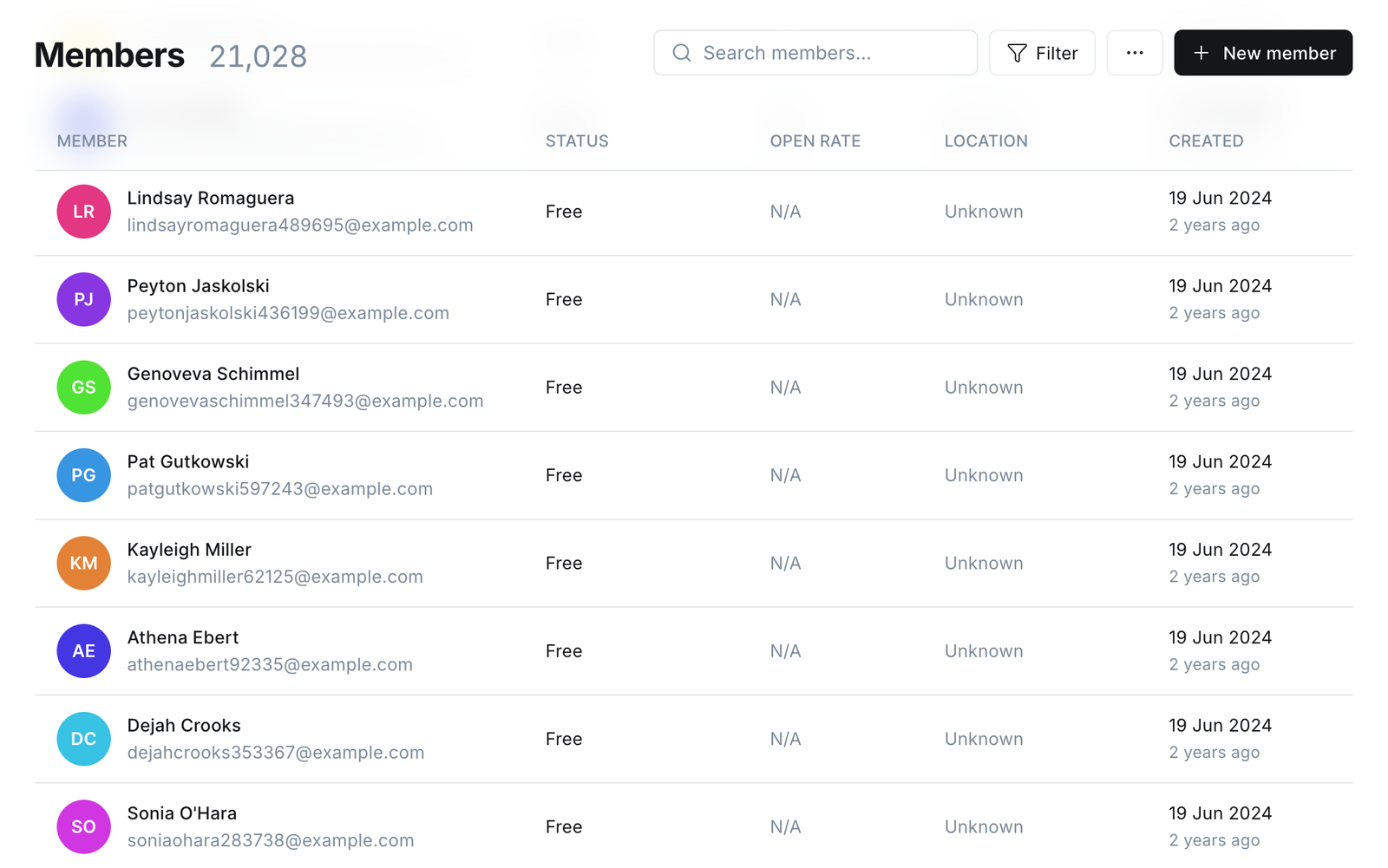
    Ghost members dashboard showing subscriber statuses and member management tools

    The important difference is not that Ghost automatically gives you better growth. It is that the publication, site structure, member experience, and monetization setup are more directly under your control.

    That also creates more responsibility.

    A publisher using Ghost needs to think more about site structure, design, acquisition, SEO, and distribution than someone who simply opens a Substack account and starts writing. Ghost does include discovery features such as Recommendations and Ghost Explore, but the broader model still leans more heavily on building an owned publication.

    Consider Ghost if: ownership, site control, memberships, and long-term publishing infrastructure matter most.

    Look elsewhere if: your priority is the fastest possible path from blank page to active newsletter with minimal setup decisions.

    MailerLite: A Practical Middle Ground for Small Businesses

    MailerLite makes more sense when the newsletter is one part of regular small-business email marketing.

    Its current Free plan supports up to 250 active subscribers and 2,500 emails per month, with limited automations, forms, a landing page, a website, and a digital product or booking. MailerLite’s 2026 paid structure uses Comfort and Power plans rather than its older Growing Business and Advanced naming.

    MailerLite newsletter editor showing a draft email campaign

    The appeal here is not a specialized newsletter network. It is that campaigns, signup forms, landing pages, subscriber management, and automation live in a relatively approachable email-marketing environment.

    That matches a recurring theme in recent public user reviews: ease of use is one of MailerLite’s most consistently praised attributes, while some users say more complex automation and reporting needs eventually expose limits.

    This makes MailerLite a sensible option for a business that wants newsletters and ordinary email campaigns in the same system without jumping immediately to a heavier automation platform.

    Consider MailerLite if: you run a small business and want newsletters, forms, landing pages, and moderate automation in one place.

    Look elsewhere if: you want a creator-specific discovery network or highly complex behavioral automation.

    Buttondown: Deliberately Smaller in Scope

    Buttondown’s appeal is that it does not try to turn every newsletter into a marketing suite.

    The first 100 subscribers are currently free. Its pricing model then scales with active subscribers, while features such as segmentation, paid subscriptions, analytics, and automations can be added separately. Buttondown says it takes no additional cut from paid-subscription revenue beyond payment-processor fees.

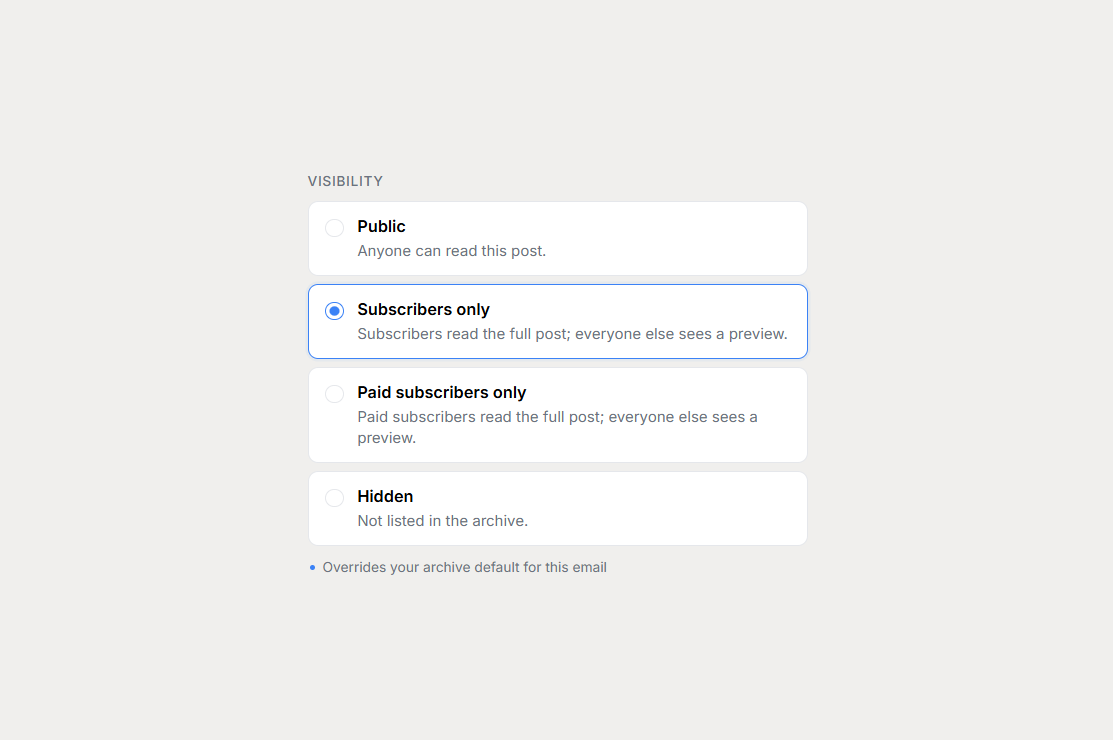
    Buttondown newsletter visibility settings

    That à la carte model is useful for writers who know exactly what they need.

    Public user reviews commonly describe the editor and setup as straightforward, while also noting that customization can feel limited unless you are comfortable doing more technical work yourself. That is a fair reflection of the product’s positioning: focused rather than expansive.

    A writer who only needs publishing, a custom sending domain, archives, and a clean workflow may prefer this to paying for dozens of features they will never touch. A team that wants sophisticated funnels, visual automation, and an integrated growth ecosystem will probably reach Buttondown’s boundaries quickly.

    Consider Buttondown if: you prefer a focused writer-first tool and want to add features selectively.

    Look elsewhere if: you want a broad marketing platform or a built-in newsletter discovery ecosystem.

    GetResponse: When the Newsletter Belongs Inside a Larger Marketing System

    GetResponse is the opposite end of the spectrum from Buttondown.

    Its current plans are Starter, Marketer, Creator, and Enterprise, with a free trial rather than a permanent long-term Free plan. Newsletters are available across the main paid tiers. Marketer adds more advanced automation and segmentation, while Creator adds features such as premium newsletters, courses, and webinars.

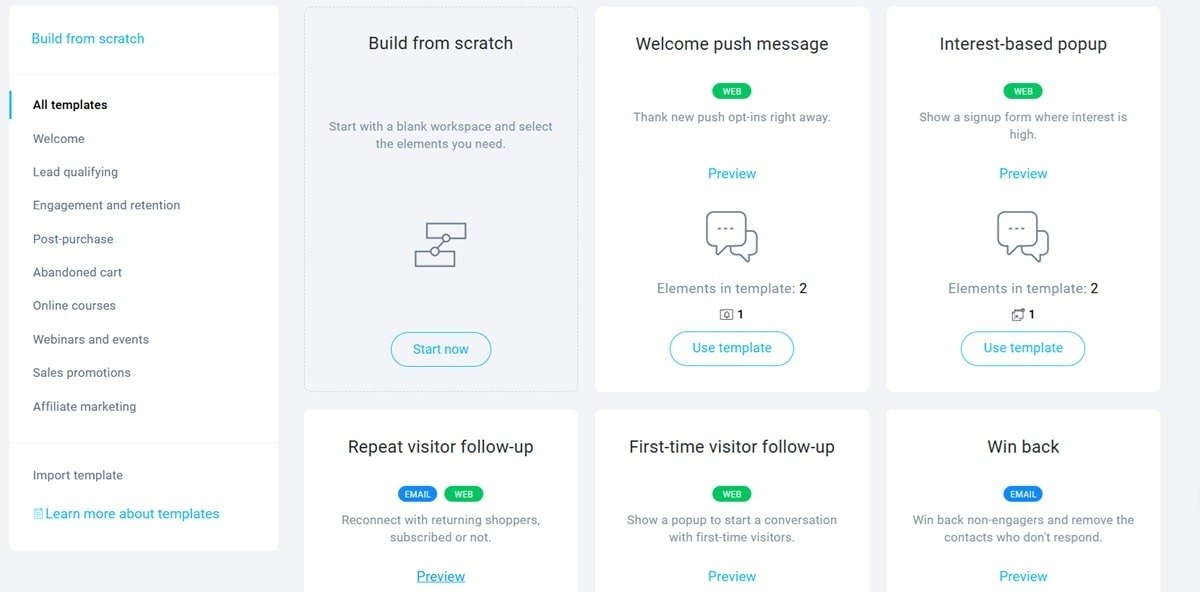
    GetResponse automation template gallery with email and web workflow options

    That breadth is useful when email has to connect to more than publishing.

    A business can use newsletters alongside signup forms, landing pages, automation, funnels, ecommerce workflows, or creator products without stitching together as many separate tools.

    The downside is exactly the same: there is more platform than a newsletter-only publisher may need. Recent public reviews often praise the breadth of GetResponse’s email and automation tooling while noting that more advanced capabilities sit on higher tiers and that the platform takes time to learn.

    Consider GetResponse if: your newsletter is part of a broader marketing or creator system.

    Look elsewhere if: you only need to publish a newsletter and want the simplest possible workflow.

    Newsletter-First Platform or Email Marketing Software?

    If you are still deciding between categories, start here.

    Choose a newsletter-first platform when:

    • the newsletter itself is becoming a product or publication
    • paid subscriptions or sponsorships are part of the business model
    • publishing speed matters more than advanced marketing logic
    • audience discovery, recommendations, or reader-network effects are valuable
    • you want the product experience centered on the publication itself

    beehiiv, Substack, Ghost, and Buttondown all fit this broad category, but they solve it differently.

    beehiiv emphasizes growth and monetization tools. Substack emphasizes ease and network discovery. Ghost emphasizes ownership and publishing infrastructure. Buttondown emphasizes a smaller, writer-first toolset.

    Choose broader email-marketing software when:

    • email supports an ecommerce store, course, service, or creator business
    • subscriber behavior needs to trigger sequences or automations
    • segmentation matters more than platform-native discovery
    • forms, landing pages, funnels, or product sales need to live in the same system
    • newsletters are only one type of campaign you send

    Kit, MailerLite, and GetResponse fit this side of the decision.

    Which Platform Fits Your Situation?

    Rather than choosing an overall winner, narrow the field by the constraint that matters most.

    You’re building a newsletter-first media business

    Start with beehiiv, Ghost, and Substack.

    beehiiv is worth evaluating when built-in growth and monetization tools matter. Ghost is stronger when ownership and site control are central. Substack is the simplest route when you value its network and want minimal setup.

    You sell courses, memberships, or digital products

    Start with Kit.

    Its value becomes clearer when subscribers need to move through tags, sequences, automation, and product offers rather than simply receive broadcasts.

    You want the least complicated publishing workflow

    Compare Substack and Buttondown.

    Substack gives you a built-in platform and reader network. Buttondown gives you a smaller standalone tool with more of an “email utility” feel.

    You want control over the publication itself

    Look closely at Ghost.

    It requires more decisions than Substack, but those decisions come with more control over the website, membership model, design, and publishing infrastructure.

    You’re a small business sending regular campaigns

    MailerLite is a logical place to start evaluating.

    It sits between newsletter tools and heavier marketing platforms, covering common business-email needs without making automation the entire product.

    Automation is the deciding factor

    Compare Kit and GetResponse.

    Kit is oriented toward creator-led businesses. GetResponse reaches further into broader marketing, ecommerce, funnels, webinars, and creator tools.

    Before You Switch Newsletter Platforms

    Platform migration gets harder once your publication has a large archive, paid members, and several growth channels.

    Before switching, check five things.

    1. What exactly can you export?

    Subscriber email addresses are the minimum. Also check whether tags, statuses, custom fields, engagement data, and paid-member information move cleanly.

    2. What happens to paid subscribers?

    Do not assume billing relationships move automatically. Verify how the old and new platforms handle Stripe or other payment infrastructure before starting the migration.

    3. What happens to your archive and domain?

    If your newsletter has years of indexed posts, changing platform architecture can affect URLs, redirects, and organic traffic.

    4. Are your growth channels portable?

    A recommendation or discovery network may stop helping the moment you leave that platform. Separate growth you truly own — search traffic, direct referrals, subscriber exports — from growth that depends on the platform ecosystem.

    5. What will the platform cost at your next list size?

    Do the math at the audience size you expect to reach, not just the size you have today. Subscriber tiers, add-ons, revenue share, and feature upgrades can change the economics dramatically.

    Frequently Asked Questions

    What is the difference between newsletter software and email marketing software?

    Newsletter-first software centers on publishing, audience growth, subscriptions, and the publication itself. Broader email-marketing software is built around campaigns, automation, segmentation, lead nurturing, and other marketing workflows, with newsletters as one use case.

    Which newsletter platforms support paid subscriptions?

    Among the platforms in this guide, beehiiv, Substack, Ghost, Kit, and Buttondown all support paid-subscription or paid-newsletter workflows. Their economics differ: some charge software fees, some use add-ons, and Substack currently takes 10% of paid transactions. Always check current terms before choosing based on monetization alone.

    Can I move my subscriber list to another newsletter platform?

    Usually, yes. Most platforms provide subscriber-export tools. What may not transfer cleanly are automations, archives, custom fields, recommendation-network benefits, and payment relationships for paid subscribers.

    What should I look for in newsletter software?

    Start with the business model rather than the editor. Decide whether the newsletter is the product or a marketing channel, then compare growth tools, monetization, automation, audience portability, and how pricing changes as your list grows.

    Which newsletter platform is easiest for beginners?

    There is no universal beginner option. Substack minimizes setup, Buttondown keeps the workflow intentionally small, MailerLite is approachable for ordinary business email, and Kit gives creators more room to grow into automation. The right starting point depends on what you expect to need next.

    Final Thoughts

    The most useful way to choose a newsletter platform in 2026 is not to ask which product has the longest feature list.

    Ask three questions instead:

    1. Is the newsletter the product, or is it supporting another business?
    2. Do you care more about platform-driven discovery, automation, or ownership?
    3. How will the economics change once your audience grows?

    If the newsletter itself is the business, start with newsletter-first tools and compare their growth, ownership, and monetization models.

    If the newsletter supports products, customers, or a larger marketing system, start with creator-focused or broader email-marketing platforms and compare automation depth.

    That framework will narrow the field faster than any universal “best overall” label — and it makes it easier to choose a platform that still fits when the newsletter is much larger than it is today.

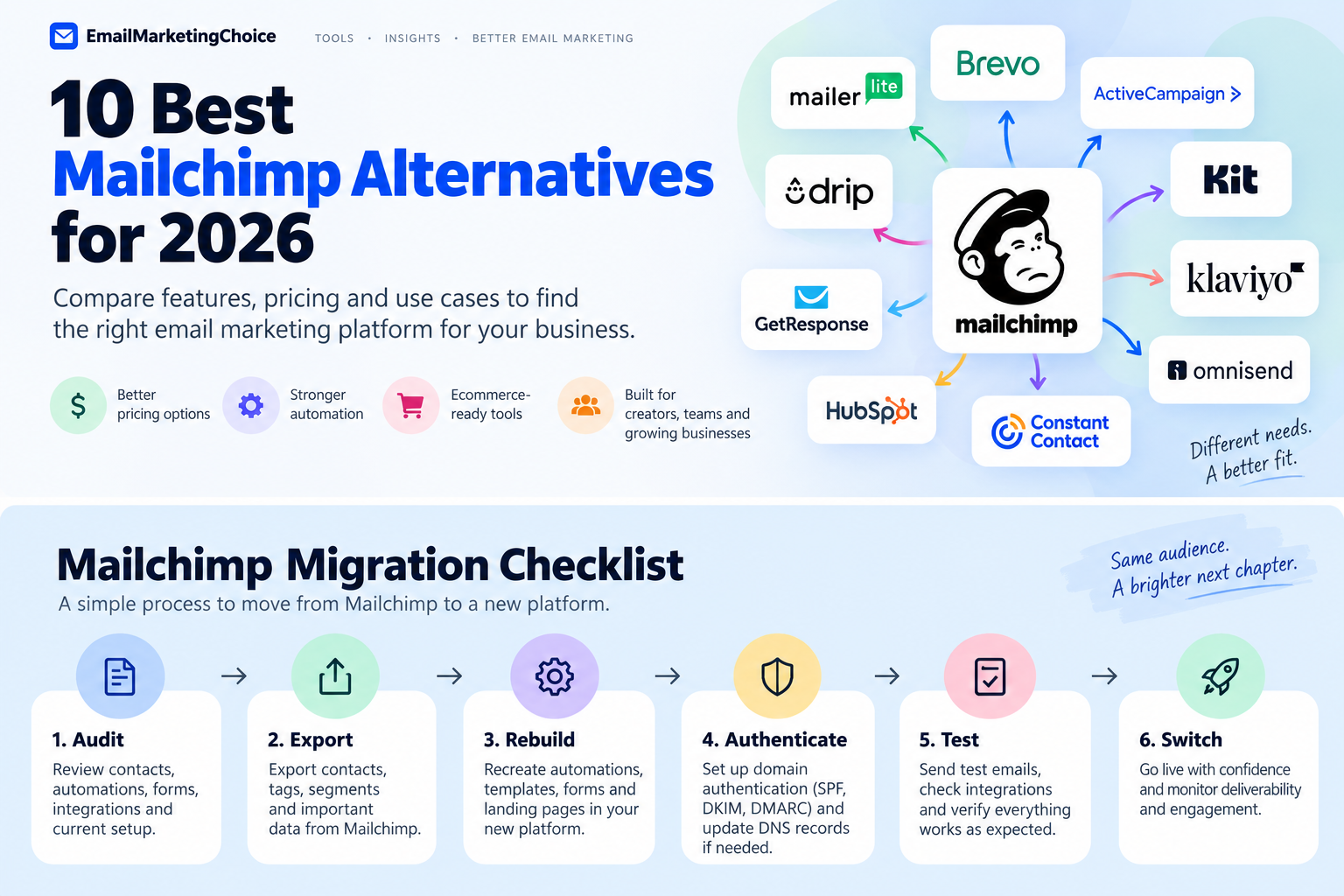
  • 10 Best Mailchimp Alternatives for 2026: Which One Should You Choose?

    10 Best Mailchimp Alternatives for 2026: Which One Should You Choose?

    Mailchimp can still be a sensible email marketing platform, especially if your campaigns, forms, integrations, and automations are already working well.

    But the reasons businesses start looking elsewhere usually become clearer as their audience grows. Pricing changes. Automation requirements become more complicated. Ecommerce teams need deeper customer data. Creators may want a platform built around newsletters rather than a broader small-business marketing suite.

    There is no single best Mailchimp alternative.

    A creator publishing a weekly newsletter has very different requirements from a Shopify store running abandoned-cart flows. A business that needs CRM and email in one system is solving a different problem again.

    The better question is:

    Why are you considering leaving Mailchimp, and which platform solves that specific problem without creating a bigger one?

    This guide starts there.

    Why People Look for Mailchimp Alternatives

    Pricing becomes harder to judge as your audience grows

    Email marketing pricing rarely stays as simple as the number on the pricing page.

    Costs can depend on:

    • subscribers or stored contacts
    • monthly sending volume
    • active profiles
    • user seats
    • automation features
    • SMS usage
    • additional marketing tools

    That makes broad statements such as “Platform X is cheaper than Mailchimp” unreliable.

    A tool may cost less at 1,000 subscribers and more at 20,000. Another platform may allow a large contact database but structure its pricing around email volume instead.

    The useful comparison is your actual list size, sending frequency, required features, and expected growth.

    Some businesses outgrow simple automation

    A newsletter business may only need a welcome sequence, a lead magnet, and a few follow-up emails.

    More mature marketing operations may want workflows based on:

    • purchases
    • browsing behavior
    • engagement
    • tags
    • lead scores
    • lifecycle stages
    • sales activity
    • customer inactivity

    Platforms such as ActiveCampaign become more relevant when this type of automation is central to the business.

    The trade-off is complexity. More automation capability does not automatically mean better marketing if your team does not need—or will not use—the additional control.

    Ecommerce changes what matters

    For an ecommerce store, email is closely connected to customer behavior.

    That may include:

    • abandoned carts
    • browse abandonment
    • product recommendations
    • repeat purchases
    • customer segments
    • post-purchase campaigns
    • win-back flows
    • revenue attribution

    That is why tools such as Klaviyo, Omnisend, and Drip should be evaluated differently from general-purpose newsletter platforms.

    Creators often need a different workflow

    Creators may care less about building a broad marketing stack and more about:

    • publishing newsletters
    • growing an audience
    • landing pages
    • automated sequences
    • digital products
    • subscriptions
    • sponsorships
    • recommendations and referrals

    Kit is explicitly positioned around creator businesses. Its Free plan currently supports up to 10,000 subscribers, while its Creator plan adds unlimited visual automations and email sequences.

    Sometimes email is not the real problem

    Some businesses eventually discover that they do not actually need “better email software.”

    They need email connected to CRM data, sales activity, SMS, WhatsApp, customer records, or a larger marketing operation.

    Brevo and HubSpot address that problem in very different ways.


    Pick an Alternative Based on Why You’re Leaving

    If your biggest concern is simplicity and lower operating cost, start by comparing MailerLite and Brevo.

    If automation depth is holding you back, ActiveCampaign deserves closer evaluation.

    If you run an ecommerce store, compare Klaviyo, Omnisend, and Drip.

    If you are building a creator or newsletter business, Kit is one of the clearest specialist options.

    If you want CRM and email in the same ecosystem, look at HubSpot and Brevo.

    If your needs are relatively simple and you mainly want straightforward campaigns, MailerLite and Constant Contact may make more sense than moving to a more complex automation platform.


    Quick Comparison: Best Mailchimp Alternatives

    ToolBest forMain advantage over MailchimpMain trade-off
    MailerLiteSmall teams and straightforward email marketingSimpler workflow and accessible entry pricingLess suited to complex lifecycle marketing
    BrevoLarge contact databases and multichannel messagingSend-focused pricing and broader communication channelsAdvanced requirements may expose limitations
    ActiveCampaignAdvanced automationStrong automation and segmentation focusMore complexity and learning
    KitCreators and newslettersCreator-focused publishing and monetizationLess suited to broad corporate marketing
    KlaviyoData-driven ecommerce brandsDeep ecommerce data and segmentationCost can rise as active profiles grow
    OmnisendEcommerce teams using email and SMSEcommerce automation with a simpler operational feelLess depth than some advanced ecommerce stacks
    Constant ContactSmall businesses prioritizing simplicityStraightforward campaigns and supportLess automation depth
    HubSpotCRM + email marketingUnified CRM, marketing, sales, and customer dataMajor jump in cost
    GetResponseFunnels, webinars, and campaignsBroader conversion toolkit around emailMore platform than simple senders may need
    DripB2C businesses selling onlineBehavior-based lifecycle marketingNo permanent free plan

    Pricing changes frequently, so verify the current price for your own list size and sending pattern before choosing a platform.


    The Best Mailchimp Alternatives for 2026

    1. MailerLite — If You Want Simpler Email Marketing

    MailerLite is one of the first platforms worth comparing if your main frustration with Mailchimp is complexity rather than a lack of features.

    Its current Free plan supports up to 250 active subscribers and 2,500 emails per month. MailerLite reduced those limits in June 2026 while adding access to more features on the free tier. Its Comfort plan starts at $12 per month.

    The appeal is relatively straightforward: campaigns, forms, landing pages, automations, and subscriber management without requiring a large marketing stack.

    Public user feedback around MailerLite frequently emphasizes ease of use and a relatively approachable interface. At the same time, that simplicity has limits. Businesses needing sophisticated lifecycle automation, deep CRM workflows, or complex ecommerce segmentation may eventually outgrow it.

    Consider MailerLite when: you mainly need newsletters, forms, landing pages, and straightforward automation.

    Look elsewhere when: advanced automation or ecommerce data is the main reason you are leaving Mailchimp.


    2. Brevo — If You Store More Contacts Than You Regularly Email

    Brevo is particularly interesting for businesses with a relatively large contact database but more controlled sending volume.

    Its Free plan currently includes up to 100,000 stored contacts and 300 email sends per day. Starter begins at $9 per month and Standard at $18 per month.

    Brevo also extends beyond email into SMS, WhatsApp, chat, transactional messaging, and customer-management features.

    That gives it a different role from a newsletter-first platform.

    Brevo email editor interface with content blocks

    If you store many contacts but do not constantly email all of them, its pricing structure may be worth modeling against Mailchimp.

    That does not mean Brevo will always be cheaper. Your actual cost still depends on send volume and the features you need.

    Consider Brevo when: contact storage, multiple communication channels, and controlled sending volume matter.

    Look elsewhere when: highly sophisticated lifecycle automation or deep ecommerce analytics are essential.


    3. ActiveCampaign — If Automation Is the Reason You’re Switching

    ActiveCampaign belongs on the shortlist when you are not looking for simpler email marketing—you are looking for more control.

    Its strength is automation around:

    • customer behavior
    • segmentation
    • tags
    • lifecycle stages
    • sales activity
    • engagement
    • purchases

    That makes it more suitable for businesses where marketing automation is part of the operating system rather than an occasional add-on.

    ActiveCampaign automation recipes interface

    The downside is equally important.

    ActiveCampaign can introduce more configuration, more decisions, and a steeper learning curve than platforms designed primarily around newsletters and basic sequences.

    Its lower-priced plans also have automation limitations, so businesses should compare the capabilities of the specific tier they intend to buy rather than assuming every ActiveCampaign account includes the full automation feature set.

    Consider ActiveCampaign when: automation and segmentation directly affect revenue or customer lifecycle management.

    Skip the additional complexity when: your workflow mainly consists of newsletters and a few simple sequences.


    4. Kit — If You’re Building a Creator Business

    Kit approaches email from a creator-first perspective.

    Its Free plan currently supports up to 10,000 subscribers and includes unlimited landing pages, forms, and email broadcasts. For 1,000 subscribers, the Creator plan is currently $33 per month when billed annually and adds unlimited visual automations and email sequences.

    Kit visual automation templates interface

    This positioning makes sense for:

    • writers
    • educators
    • newsletter publishers
    • creators
    • coaches
    • digital-product businesses
    • audience-driven businesses

    A creator may care more about growing and monetizing an audience than managing a broad corporate marketing stack.

    Kit becomes less compelling when your requirements shift toward advanced CRM, sophisticated ecommerce analytics, or marketing operations spread across multiple departments.

    Consider Kit when: the audience itself is central to your business model.

    Look elsewhere when: email is only one part of a much broader CRM or ecommerce system.


    5. Klaviyo — If Ecommerce Data Drives Your Marketing

    Klaviyo becomes much more interesting when customer behavior and transaction data influence almost every marketing decision.

    Its Free plan currently supports up to 250 active profiles and 500 email sends per month.

    The real value is not simply sending ecommerce emails.

    Klaviyo connects:

    • customer profiles
    • purchase history
    • segmentation
    • campaigns
    • automated flows
    • revenue attribution
    • engagement data

    That makes it possible to build marketing around what shoppers actually do.

    Klaviyo flow builder with trigger, delay, and conditional split

    The strongest reason to pay for that capability is also the key decision test:

    Will your business actually use the data?

    Pricing increases as the number of active profiles grows, so a simple newsletter sender may end up paying for complexity it does not need.

    For an ecommerce company using detailed segmentation, customer lifecycle flows, and revenue reporting, the economics may look very different.

    Consider Klaviyo when: ecommerce behavior and customer data are central to marketing decisions.

    Think twice when: your main requirement is simply sending newsletters and basic automations.


    6. Omnisend — If You Want Ecommerce Automation Without the Heaviest Stack

    Omnisend overlaps with Klaviyo, but it often appeals to stores looking for a balance between ecommerce functionality and operational simplicity.

    Its Free plan currently supports up to 250 contacts and 500 email sends per month. Standard starts at $16 per month, while Pro starts at $59 per month and includes unlimited email sending.

    There is an important 2026 pricing detail: for customers subscribing on or after May 4, 2026, SMS is no longer available on Standard; newer customers need Pro for SMS access.

    Omnisend is worth comparing with Klaviyo if your store needs:

    • ecommerce automation
    • segmentation
    • product-based messaging
    • email
    • push notifications
    • SMS
    • common store integrations

    but does not require the deepest possible customization.

    Consider Omnisend when: you want an ecommerce-first platform with a relatively approachable workflow.

    Compare Klaviyo more closely when: advanced segmentation and customization justify the extra complexity.


    7. Constant Contact — If Simplicity and Support Matter Most

    Constant Contact targets a more traditional small-business audience than many automation-heavy platforms.

    Its current pricing starts at $12 per month for Lite, $35 for Standard, and $80 for Premium. Pricing scales with the size of the contact list.

    The appeal is not that Constant Contact offers the deepest automation.

    It is more relevant to small organizations that value:

    • straightforward campaign creation
    • templates
    • integrations
    • social tools
    • live support
    • relatively simple workflows

    That can make it appropriate for local businesses, nonprofits, associations, and smaller teams.

    Constant Contact email builder interface

    If you are leaving Mailchimp specifically because you need more sophisticated lifecycle automation, Constant Contact is probably solving the wrong problem.


    8. HubSpot — If Your Real Problem Is CRM, Not Email

    HubSpot is fundamentally different from most tools in this comparison.

    Email marketing is only one component of a larger ecosystem that includes CRM, marketing, sales, customer service, content, automation, and data.

    That becomes useful when an email campaign needs to react to what is happening elsewhere in the customer lifecycle.

    The trade-off is cost.

    Marketing Hub Professional currently starts at $800 per month with annual commitment or $890 per month on monthly billing, and Professional requires a one-time $3,000 onboarding fee.

    That means HubSpot should not be treated as a “cheaper Mailchimp alternative.”

    It belongs here because some businesses eventually discover that their real requirement is a connected CRM and marketing system.

    Consider HubSpot when: sales, CRM, service, and marketing data need to work together.

    Do not move to HubSpot simply to send better newsletters.


    9. GetResponse — If Email Is Part of a Bigger Conversion Funnel

    GetResponse makes more sense when email is one component of a broader campaign.

    Its Starter plan currently begins at $19 per month and includes unlimited monthly email sends, landing pages, signup forms, and one automation workflow.

    Marketer starts at $59 per month and adds unlimited automation workflows, advanced segmentation, and ecommerce capabilities.

    GetResponse is especially relevant for businesses using:

    • funnels
    • webinars
    • lead-generation pages
    • automation
    • ecommerce
    • courses
    • broader campaign workflows

    The obvious question is whether you actually need those tools.

    A business sending newsletters and a few automated sequences may find a more focused platform easier to operate.


    10. Drip — If You Run a B2C Business Selling Online

    Drip is narrower than many platforms in this guide.

    Its main use case is behavior-driven marketing for B2C businesses selling products, memberships, courses, or other offers online.

    Typical workflows include:

    • abandoned cart
    • welcome flows
    • browse abandonment
    • post-purchase campaigns
    • win-back sequences
    • purchase-based segmentation

    That specialization can be an advantage when ecommerce behavior drives the marketing strategy.

    It makes much less sense for a B2B business, a local organization, or a team primarily looking for CRM.

    Drip currently starts at $39 per month for up to 2,500 people and offers a trial rather than a permanent free plan.


    What Real Users Consistently Reveal About Switching

    Public user discussions are useful because they highlight a pattern that pricing pages cannot.

    People rarely switch email platforms because one product is universally “better.”

    They switch because a specific mismatch becomes difficult to ignore.

    Some users are trying to reduce cost.

    Others want simpler software.

    Some want deeper automation and willingly accept more complexity.

    Ecommerce teams often care far more about customer behavior and revenue data than newsletter-oriented users.

    Creators may choose an entirely different product because their workflow revolves around publishing and audience monetization.

    This is why user feedback should be treated as context—not as proof that one platform is objectively superior.

    A complaint from one Reddit thread is an experience. Repeated feedback across independent users can reveal a pattern. Neither should replace your own evaluation of the workflow that matters to your business.


    When You Should Not Leave Mailchimp

    Searching for Mailchimp alternatives does not necessarily mean you should migrate.

    Staying may make more sense if:

    • your campaigns already perform well
    • your team knows the platform
    • your automations have been tested
    • your forms and integrations are connected
    • your current pricing remains acceptable
    • you mainly send straightforward campaigns
    • another platform does not solve a specific problem

    Switching email platforms creates operational work.

    You may need to rebuild:

    • automations
    • forms
    • templates
    • integrations
    • segments
    • reports
    • domain authentication
    • preference centers

    A different interface is not enough reason to create that disruption.

    The strongest reason to switch is a clear mismatch between what your business now needs and what your current Mailchimp setup provides.


    What to Check Before Migrating From Mailchimp

    Mailchimp migration checklist from audit to final switch

    Contacts, tags, and segments

    Check how the replacement platform handles:

    • subscriber status
    • tags
    • groups
    • custom fields
    • segments

    Different email platforms use different data models. Importing contacts does not automatically recreate the logic behind your existing Mailchimp audience.

    Automations

    Document every active automation before migrating.

    Record:

    • triggers
    • delays
    • conditions
    • branches
    • emails
    • tags
    • goals

    Do not assume another provider can automatically import the underlying workflow.

    Templates, forms, and landing pages

    Existing email templates, popups, embedded forms, landing pages, and preference centers may need to be rebuilt.

    Unsubscribes and suppression data

    Do not accidentally re-add people who previously unsubscribed or should remain suppressed.

    Preserving consent and suppression information should be part of the migration plan.

    Integrations

    Audit everything connected to Mailchimp, including:

    • ecommerce stores
    • CRM systems
    • analytics tools
    • Zapier workflows
    • forms
    • payment platforms
    • internal systems

    Domain authentication

    Moving providers may require changes to DNS records and sender authentication.

    Prepare those changes before sending a major campaign from the new platform.

    Historical reporting

    If previous campaign data matters to your business, determine what can be exported and what will remain accessible after the migration.

    Deliverability

    Changing platforms does not automatically fix deliverability problems.

    Sender reputation, list quality, authentication, engagement, sending behavior, and content still matter regardless of the software provider.

    Also distinguish between marketing email and transactional email requirements. A platform that works well for newsletters may not be the best infrastructure for receipts, password resets, order confirmations, or other transactional messages.


    How We Selected These Mailchimp Alternatives

    This guide considers:

    • current vendor documentation
    • pricing structures
    • subscriber and contact limits
    • sending limits
    • automation capabilities
    • ecommerce functionality
    • CRM and multichannel features
    • creator workflows
    • migration considerations
    • intended customer type
    • recurring themes in publicly available user feedback

    We do not assign artificial scores or claim hands-on testing that has not taken place.

    Official documentation is used for facts such as pricing and plan limits. Public discussions and review-platform feedback are used to understand recurring user experiences and potential trade-offs.

    Product packaging changes frequently, so pricing and critical features should always be confirmed on the vendor’s current website before purchasing or migrating.


    Mailchimp Alternatives FAQ

    Is there a free alternative to Mailchimp?

    Yes.

    MailerLite, Brevo, Kit, Klaviyo, Omnisend, and HubSpot currently offer free options, but the limits and intended users differ substantially.

    For example, MailerLite currently allows up to 250 subscribers and 2,500 monthly emails on Free, while Kit supports up to 10,000 subscribers on its creator-oriented Free plan.

    Should I choose Klaviyo or Omnisend for ecommerce?

    Both are ecommerce-focused, but the decision often comes down to how much segmentation, customization, and operational complexity your store needs.

    Klaviyo is particularly strong when sophisticated customer data and segmentation are central to the marketing strategy.

    Omnisend can be attractive to stores that want ecommerce automation and multichannel features in a relatively approachable system.

    Is ActiveCampaign better than Mailchimp?

    It depends on what you are trying to improve.

    ActiveCampaign is more relevant when advanced automation and segmentation are the priority.

    If your campaigns are straightforward and Mailchimp already works well, switching to a more complex system may add work without solving a meaningful problem.

    What should I check before switching email platforms?

    At minimum, audit:

    • contacts
    • unsubscribes
    • tags
    • segments
    • automations
    • templates
    • forms
    • integrations
    • domain authentication
    • ecommerce data
    • reporting history

    Know what must be recreated before cancelling the existing platform.


    Choosing Your Shortlist

    Do not start with ten free trials.

    Start with the problem.

    If simplicity is the priority, compare MailerLite and Constant Contact.

    If automation is central, investigate ActiveCampaign.

    If you are building a creator business, look closely at Kit.

    If ecommerce behavior drives your marketing, compare Klaviyo, Omnisend, and Drip.

    If CRM is the real requirement, evaluate HubSpot or Brevo.

    Then shortlist two or three platforms and test them using a real workflow from your business.

    If Mailchimp is already working well and none of the alternatives solves a specific problem, staying where you are may be the better decision.